Manual · Ganz Security
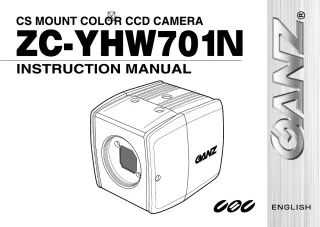
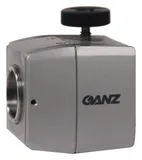
ZC-YHW701N color camera installation and instruction manual
Manual19 pagesPDF 152 KB
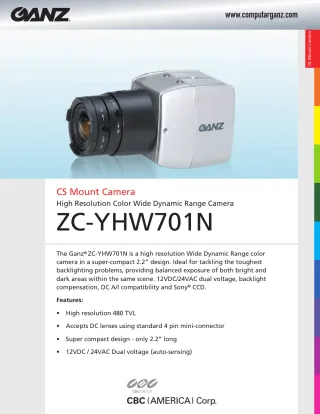
Installation and instruction manual for the Ganz ZC-YHW701N wide dynamic range color CCTV camera with a 1/3 inch CCD.
Covers · 1 model
The models it covers
Summary
What is in it
Installation and instruction manual for the ZC-YHW701N color camera, a wide dynamic range CCTV camera with a 1/3 inch CCD and about 380K pixels. It covers safety precautions, the camera's features, rear panel controls and connections, the DC drive auto-iris lens connector, CS and C mount lens fitting and back focus adjustment, lens adjustment, 24 VAC and 12 VDC power connection, the DIP switch settings and full specifications.
From the manual · read page by page
Key facts from this manual
Each line names its page in the PDF.
Installation and instruction manual (English section) for the Ganz ZC-YHW701N, a compact color CCTV camera with a wide dynamic range function. It shows the rear-panel controls and connectors and walks through fitting and adjusting a lens, wiring 24VAC or 12VDC power, the video output and each DIP switch setting. It ends with the specifications and the supplied accessories.
- What it is
- Color CCTV camera with wide dynamic range, automatic sensitivity adjustment, auto white balance and auto iris lens output; for indoor use p. 7
- Power
- 24VAC (21.6 to 26.4 VAC) 60Hz, at least 270mA; or 12VDC (10.8 to 13.2VDC), 390mA p. 3, 12, 13
- Lens
- "CS" mount, DC drive auto-iris lens only; C-mount lenses need the C-mount adapter ring p. 9, 10
- Iris connector pins
- Small 4 pin: 1 CONT. (-), 2 CONT. (+), 3 DRIVE (+), 4 DRIVE (-) p. 8, 9
- Video output
- Composite 1.0Vp-p, 75 Ω, BNC connector; NTSC p. 14, 18
- Image sensor
- 1/3" interline transfer CCD, approx. 380K pixels p. 7, 18
- Resolution
- 480TV Lines p. 18
- Minimum illumination
- 1.0Lux (F1.2) p. 18
- DIP switches
- #1 AGC, #2 AWB, #3 BLC, #4 WD, #5 SYNC, #6 L.AD, #7 FL, #8 WCCB p. 14
- Sync
- Line lock with phase adjustment on 24VAC; internal crystal on 12VDC p. 16, 17
- DC fuse
- Slow blow fuse (1.0 A in Fig. 6) on the + terminal, within 10cm (4inch) p. 13
- Size and weight
- 53(W) x 55(H) x 56(D) mm without lens; 0.2 Kg p. 18
- Camera mount
- 1/4"-20 tapped hole, fits on top or bottom of the camera p. 8
- Supplied
- 4 pin plug (small type), instruction manual, Allen wrench, camera mount p. 19
What this manual walks you through
- Wiring the 4-pin auto-iris lens connector p. 9
- Fitting a CS or C mount lens p. 10
- Adjusting back focus with a zoom lens p. 10, 11
- Tuning the auto-iris lens with DIP switch #6 p. 11
- Connecting 24VAC power p. 12
- Connecting 12VDC power with a fuse p. 13
- Cabling and terminating the video output p. 14
- Setting AGC, white balance, backlight compensation and wide dynamic range p. 14, 15
- Choosing the sync mode and adjusting line lock phase p. 16, 17
Good to know
- The lens mount is shallow: check the rear lens length (CS 0.2" (6 mm), C 0.4" (10 mm)) or the CCD may be damaged. p. 3, 10
- The camera is not for outdoor use. p. 7
- On 24VAC, use a class 2 supply and connect the grounding lead to the GND terminal. p. 12
- Long exposure to sunlight or direct lighting can fade the CCD color filter, even with power off. p. 7
- Over-tightening the back focus locking screw can damage the lens mount thread. p. 10
Questions this manual answers
What power supply does the Ganz ZC-YHW701N need?
24VAC (21.6 to 26.4 VAC) 60Hz rated at least 270mA, or 12VDC (10.8 to 13.2VDC) with 390mA per camera. p. 12, 13
Can I use a C-mount lens on the ZC-YHW701N?
Yes, after fitting the C-mount adapter ring; the camera ships ready for CS lenses and accepts only DC drive auto-iris lenses. p. 9, 10
How is the auto-iris lens plug wired?
Pin 1 CONT. (-), pin 2 CONT. (+), pin 3 DRIVE (+), pin 4 DRIVE (-). p. 9
How do I turn on backlight compensation?
Set DIP switch #3 (BLC) to ON; it is off from the factory. p. 15
The whole text · 2 parts
Read the manual here as text
Its text as extracted from the PDF, unedited, in parts; each page opens the PDF at that page.
The file