Manual · Namco
Proximity Sensors Reference Information
Manual8 pagesPDF 236 KB
Namco reference guide to inductive and capacitive proximity sensors: operation, target and air gap, mounting, housings and wiring.
What this file really is
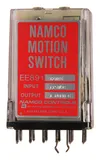
The old site listed this file as a manual for the Namco EE891-12103. The file is a general Namco reference section on applying proximity sensors and does not mention the EE891-12103.
Filed with · 1 model
Also filed with these models on the old site
Summary
What is in it
Reference section from Namco on applying inductive and capacitive proximity sensors. It explains how the sensors work, how to identify the target and work out the air gap, how target material reduces sensing range, mounting clearances for shielded and unshielded sensors, UL 508 enclosure designations for housing selection, and electrical considerations: NAMUR sensors, DC and AC output types, series and parallel connection, short circuit protection and how capacitive sensors respond to different materials.
From the manual · read page by page
Key facts from this manual
Each line names its page in the PDF.
A general reference section from a Namco catalog about inductive and capacitive proximity sensors. It does not name the EE891-12103 itself. It explains how the sensors work and how to choose, mount and wire DC, AC and NAMUR types.
- Document type
- General reference on Namco inductive and capacitive proximity sensors p. 1
- Shielded sensor range
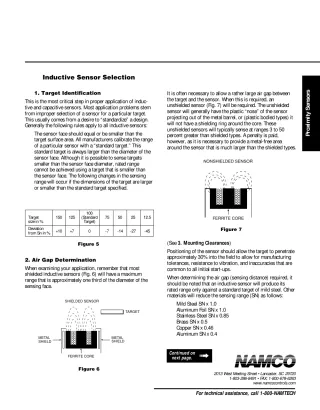
- Most shielded inductive types: about one third of the sensing face diameter p. 2
- Target material factors
- Rated range times: mild steel 1.0, aluminum foil 1.0, stainless steel 0.85, brass 0.5, copper 0.46, aluminum 0.4 p. 2
- Unshielded sensor range
- Typically 3 to 50 percent greater than shielded types p. 2
- DC sensor voltage
- Typically 10-30 VDC; NPN sinking or PNP sourcing outputs p. 6
- DC load current
- Typically 200mA maximum (dual output types: sum of both loads) p. 6
- AC leakage current
- Typically less than 1.7mA with no target present p. 7
- AC voltage drop
- About 8-10 volts less at the load when the sensor actuates p. 7
- AC switching speed
- AC sensors: typically 20 to 30 Hz p. 8
- Short circuit protection
- Trips when load inrush current exceeds 3 amperes p. 8
- NAMUR sensors
- Comply with DIN 19234; pass more than 2.2mA with no target present p. 5
- Target penetration
- About 30% into the sensing field p. 2
- Unshielded spacing
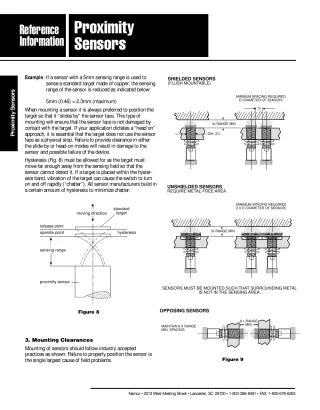
- Minimum 2 x sensor diameter, with a metal-free area p. 3
What this manual walks you through
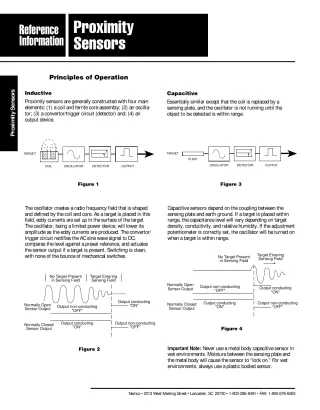
- How inductive and capacitive sensors work p. 1
- Choosing a sensor for the target and the air gap p. 2
- Mounting clearances and hysteresis p. 3
- Choosing a housing and enclosure type p. 4
- Using NAMUR sensors with an external amplifier p. 5
- Wiring DC sensors in series and parallel p. 6, 7
- Wiring two-wire AC sensors and sizing shunt resistors p. 7
- Adjusting and applying capacitive sensors p. 8
Good to know
- Never use a metal body capacitive sensor in wet environments; use a plastic body instead. p. 1
- Do not set a capacitive sensor beyond 2/3 of the maximum range found on a material. p. 8
- Wiring more than two AC sensors in series is not recommended. p. 7
- Short circuit protection guards the sensor only; branch circuit fusing is still needed. p. 8
- With inductive loads on DC sensors, a diode is suggested to absorb kickback. p. 6
Questions this manual answers
Does a proximity sensor have less range on stainless steel or brass?
Yes. Rated range applies to mild steel; stainless steel gives 0.85 times and brass 0.5 times that range. p. 2
How do I reset a Namco proximity sensor after a short circuit trip?
Remove power for about one second. The sensor does not work while in short circuit mode. p. 8
Can a two-wire 20-250 VAC sensor run on 24VAC?
The document says the load would then get only 14-18 VAC, so the voltage must be checked against the load. p. 7
Can a NAMUR sensor connect to a PLC?
Yes, through an external amplifier or a PLC with the appropriate input card. p. 5
The whole text · 1 part
Read the manual here as text
Its text as extracted from the PDF, unedited, in parts; each page opens the PDF at that page.
The file