Manual · Modicon
B833-016 24 VDC, 16 Point Input Module (True Low) Installation Instructions
Manual5 pagesPDF 165 KB
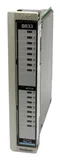
Installation instructions for the Modicon B833-016 24 VDC, 16 point true low input module for 800 Series I/O housings.
Covers · 4 models
The models it covers
Summary
What is in it
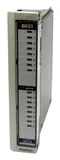
Installation instructions for the Modicon B833-016, a 24 VDC true low input module with sixteen independent inputs for the Modicon 800 Series I/O housing. It lists the module's features, describes how it senses switched input signals and reports them to the programmable controller, explains the optional mechanical keying, and gives electrical, circuit and environmental specifications, dimensions and the terminal numbering for input connections.
From the manual · read page by page
Key facts from this manual
Some pages are scans or cannot be read; this says only what the readable text supports. Each line names its page in the PDF.
Installation instructions (PI-B833-001 Rev. D) for the Modicon B833-016, a 24 VDC, 16 point True Low input module for the MODICON 800 Series I/O housing. It lists the features and specifications, shows where the optional key pins go, and gives the terminal numbering for wiring the inputs.
- What it is
- 24 VDC True Low input module, B833-016, with sixteen independent inputs in a single group p. 2
- Mounting
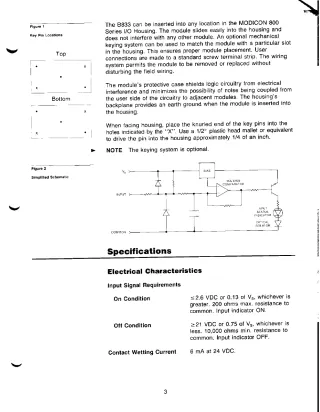
- Any location in the MODICON 800 Series I/O Housing; optional mechanical keying p. 3
- Field supply
- The sixteen inputs share an external 24 VDC supply voltage p. 2
- Input indicator ON
- Below 2.6 VDC or 0.13 of Vs, whichever is greater; 200 ohms max. resistance to common p. 3
- Input indicator OFF
- Above 21 VDC or 0.75 of Vs, whichever is less; 10,000 ohms min. resistance to common p. 3
- Wetting current
- 6 mA at 24 VDC p. 3
- Max input voltage
- 100V for 3ms p. 4
- Isolation
- 1500 VAC / 2500 VDC, field to system, between inputs and earth ground p. 2, 4
- Response time
- 11.0 ms max, ON to OFF and OFF to ON p. 4
- Indicators
- One LED per input plus one ACTIVE LED, lit while communication with the PC is good p. 4
- Operating temperature
- 0 to 60°C (32 to 140°F); humidity 0 to 95% non-condensing at 60°C p. 4
- Dimensions
- 2.1 x 10.47 x 8.25 in. (53.3 x 265.9 x 209.6 mm), W x H x D p. 4
- Matching output
- Compatible with the B832-016 24VDC True Low Output Module p. 5
- Terminals
- Inputs 1 to 8 on terminals 1 to 8, commons on 9, 10 and 19, inputs 9 to 16 on terminals 11 to 18, 24VDC supply on 20 p. 5
What this manual walks you through
- Wiring the sixteen inputs, commons and 24 VDC supply to the terminal strip p. 5
- Reading the input LEDs and the ACTIVE lamp p. 2
Good to know
- If communication with the controller fails, the ACTIVE lamp goes off and all inputs in the PC default to off. p. 2
- Power supply loading depends on the power supply used; the manual refers to its electrical specifications. p. 4
Questions this manual answers
What does True Low mean on the B833 input module?
An input reads ON when its voltage is below 2.6 VDC or 0.13 of the supply voltage Vs, whichever is greater, and OFF above 21 VDC or 0.75 of Vs, whichever is less. p. 3
Which output module pairs with the B833-016?
The manual says it is compatible with the B832-016 24VDC True Low Output Module. p. 5
What housing does the B833 fit?
It fits any slot in the MODICON 800 Series I/O Housing, with optional key pins to tie it to one slot. p. 3
How fast does the B833 respond?
Response time is 11.0 ms maximum both ON to OFF and OFF to ON. p. 4
The whole text · 1 part
Read the manual here as text
Its text as extracted from the PDF, unedited, in parts; each page opens the PDF at that page.
The file