Spec sheet · Cutler-Hammer
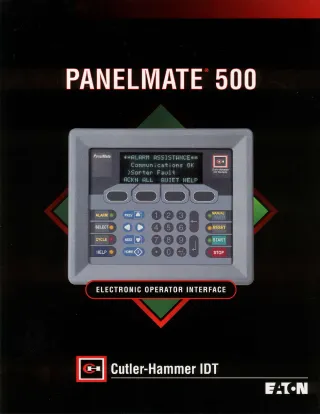
PanelMate Series 500 Electronic Operator Interface
Spec sheet6 pagesPDF 1.9 MB
Brochure and specifications for the Cutler-Hammer PanelMate Series 500 electronic operator interface for small machine control.
Covers · 2 models
The models it covers
Summary
What is in it
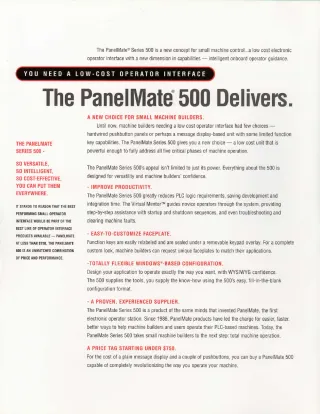
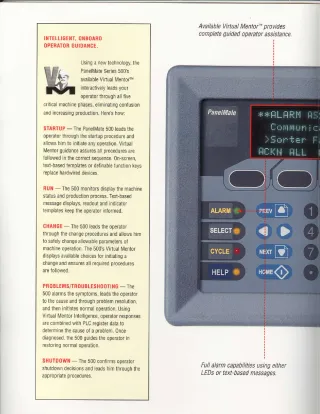
A Cutler-Hammer IDT brochure for the PanelMate Series 500, a low-cost electronic operator interface for small machine control. It describes the Virtual Mentor onboard operator guidance through startup, run, change, troubleshooting and shutdown, the customizable faceplate and relabelable function keys, LED indicators and Windows-based configuration, then lists display, environmental, keypad, communication, power, certification and dimension specifications. The scanned text is partly garbled.
From the sheet · read page by page
Key facts from this sheet
Some pages are scans or cannot be read; this says only what the readable text supports. Each line names its page in the PDF.
This is a six-page Cutler-Hammer IDT brochure and specification sheet for the PanelMate Series 500 electronic operator interface, a low-cost operator panel for small machine control. It describes the display, keypad, LED indicator, communication and power options, the Windows-based configuration software and the Virtual Mentor operator guidance. It covers the Series 500 as a family and does not print individual model numbers such as 542VM.
- What it is
- Low-cost electronic operator interface for small machine control p. 2
- Display
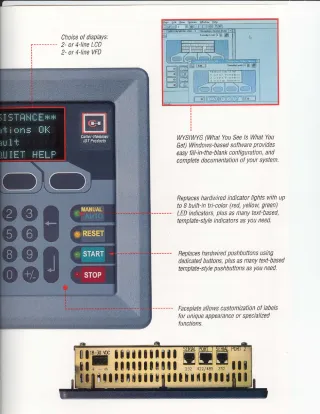
- 2-line or 4-line LCD, or 2-line or 4-line VFD p. 4
- Power
- 18-30 VDC; 8 watts, 12 watts with the optional communication interface board p. 5
- Temperature
- Operating 0-50 °C; non-operating -20-60 °C p. 5
- Keypad
- Relabelable function keys sealed under a removable keypad overlay p. 2
- LED indicators
- Up to 8 built-in tri-color (red, yellow, green) LED indicators, plus text-based indicators p. 4
- Serial port 1
- Selectable: RS232 communication, or an RJ45 connection for RS485 p. 5
- Network options
- Optional direct connection to Data Highway Plus, the GE Fanuc Genius network or Modicon Modbus Plus networks p. 5
- Flash memory option
- Portable flash memory option for downloading configurations p. 5
- Configuration
- Windows-based WYSIWYG software with a fill-in-the-blank configuration format p. 2
- Size and weight
- Width 8.83 (224.28 mm), height 7.63 (193.80 mm), depth 3.23 (82.04 mm); weight 5 lbs p. 5
- Heat output
- 8 watts (28.8 BTU/hr); 12 watts (43.2 BTU/hr) with the optional interface board p. 5
- Shock
- Operating 15G; non-operating 30G p. 5
- Altitude
- Operating up to 10,000 feet above sea level p. 5
What this sheet walks you through
- Guiding operators through startup, running, changes, troubleshooting and shutdown with Virtual Mentor p. 3
- Diagnosing machine problems from operator responses and PLC register data p. 3
- Configuring an application with the Windows-based software p. 2
- Customizing the faceplate and function key labels p. 4
- Display, environment, communication and power specifications p. 5
Good to know
- The spec sheet states it is designed for NEMA 4, 4X or 12 only when properly mounted in a correspondingly rated enclosure. p. 5
Questions this sheet answers
What power supply does the PanelMate Series 500 need?
It runs on 18-30 VDC and draws 8 watts, or 12 watts with the optional communication interface board. p. 5
What display options does the PanelMate Series 500 have?
A 2-line or 4-line LCD, or a 2-line or 4-line VFD. p. 4
What is the PanelMate Series 500 operating temperature?
0-50 °C operating, and -20-60 °C non-operating. p. 5
Can the PanelMate Series 500 connect to a Genius or Modbus Plus network?
Yes, as options: direct connection to the GE Fanuc Genius network or to Modicon Modbus Plus networks. p. 5
How is the PanelMate Series 500 configured?
With Windows-based WYSIWYG software using a fill-in-the-blank configuration format. p. 2
The whole text · 1 part
Read the sheet here as text
Its text as extracted from the PDF, unedited, in parts; each page opens the PDF at that page.
The file