Manual · Hirata
Range-free Controller FA-M3R Migration Guide for Obsoleted Models
Manual29 pagesPDF 441 KB
Technical information on moving from obsoleted FA-M3R controller modules, such as the F3RZ81-0N ladder communication module, to their replacements.
Names · 2 models
The models it names
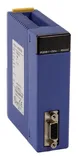 Yokogawa F3RZ81Communication module from$395.005 in stock Hirata F3RZ81Communication module Call for availability
Filed with · 2 models
Also filed with these models on the old site
Summary
What is in it
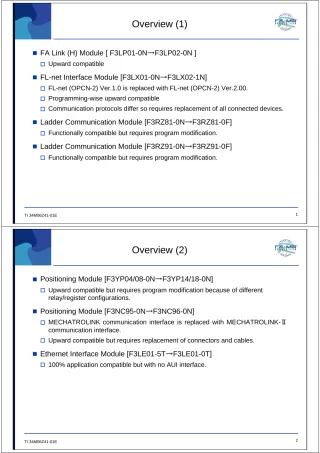
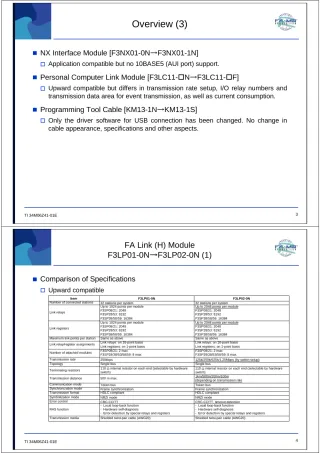
A technical information guide for replacing obsoleted modules of the FA-M3R Range-free Controller. For each old module it names the replacement, states how compatible it is, compares specifications and lists programming precautions and functional differences. Modules covered include the FA Link (H), FL-net, F3RZ81 and F3RZ91 ladder communication, positioning, Ethernet, NX interface and personal computer link modules, and the KM13 programming tool cable.
From the manual · read page by page
Key facts from this manual
Each line names its page in the PDF.
This FA-M3R range-free controller migration guide (TI 34M06Z41-01E, 4th edition) compares obsoleted modules with their replacements, among them the F3RZ81-0N and F3RZ81-0F ladder communication modules. It also covers the F3LP01-0N, F3LX01-0N, F3RZ91-0N, F3YP04/08-0N, F3NC95-0N, F3LE01-5T, F3NX01-0N and F3LC11 modules and the KM13-1N programming tool cable. For each it lists specification differences and the program or wiring changes needed when moving to the newer model.
- Document
- Migration guide from obsoleted FA-M3R modules to their replacements p. 1
- F3RZ81 replacement
- F3RZ81-0N is replaced by F3RZ81-0F: functionally compatible, but programs need changes p. 2
- F3RZ81-0F speeds
- F3RZ81-0F: 300, 600, 1200, 2400, 4800, 9600, 14400, 19200, 28800, 38400, 57600, 76800 or 115200 bps p. 5
- Xon/Xoff
- F3RZ81-0F: no Xon/Xoff control p. 6
- Break signal
- F3RZ81-0F: sends and receives the Break signal p. 6
- Port reset
- F3RZ81-0F: no port reset function p. 6
- Error relays
- F3RZ81-0F: separate error relays instead of the Response Status register p. 6
- F3RZ91-0F
- F3RZ91-0F: 1 isolated port, 350 mA, 120 g, 1792-byte send text buffer p. 8
- Programming cable
- KM13-1S replaces KM13-1N; only the USB driver software changed p. 3
- Ethernet module
- F3LE01-0T replaces F3LE01-5T, application compatible but without the AUI interface p. 2
- Positioning module
- F3NC96-0N replaces F3NC95-0N, using MECHATROLINK-II; connectors and cables change p. 2, 13
- FA Link module
- F3LP02-0N replaces F3LP01-0N, upward compatible p. 2
What this manual walks you through
- Changing F3RZ81 send logic for the Send Data Byte Count register p. 6
- Reading received data and status on the F3RZ81-0F p. 7
- Mapping F3RZ81-0N input and output relays to the F3RZ81-0F p. 7, 8
- Comparing F3RZ81-0N and F3RZ81-0F sample ladder programs p. 18
- Comparing F3RZ91-0N and F3RZ91-0F sample ladder programs p. 24
- Remapping F3YP14/18-0N positioning relays and parameters p. 12, 13
- Setting the F3LC11-F transmission rate rotary switch p. 16
- Connecting the F3LE01-0T to a 10BASE5 network through an adapter p. 14
Good to know
- Every device on an F3LX02-1N network must be FL-net (OPCN-2) Ver.2.00 compatible; mixing versions is not allowed. p. 5
- The KM13-1S cable does not work with the KM13-1N driver software. p. 17
- The F3LC11-F defaults to 115.2K bps, so a module used at the old 9,600 bps default must be set to switch setting 5. p. 16
- On the F3NC96-0N the normal-status alarm code can read $0099 or $0000. p. 14
Questions this manual answers
What replaces the F3RZ81-0N?
The F3RZ81-0F. It is functionally compatible, but existing ladder programs need changes. p. 2
Does the F3RZ81-0F support Xon/Xoff flow control?
No. The guide says Xon/Xoff control is not available in the F3RZ81-0F. p. 6
What baud rates does the F3RZ81-0F support?
300 bps up to 115200 bps, including 14400, 28800, 38400, 57600 and 76800 bps. p. 5
Can the KM13-1S cable use the KM13-1N driver?
No. The KM13-1S needs its own driver; the old driver is also included on the KM13-1S product CD. p. 17
The whole text · 3 parts
Read the manual here as text
Its text as extracted from the PDF, unedited, in parts; each page opens the PDF at that page.
The file