Spec sheet · Holjeron
BusBlock Digital I/O Module for DeviceNet, Technical Data
Spec sheet8 pagesPDF 268 KB
Technical data for the Holjeron BusBlock DeviceNet digital I/O modules BBK-DNT128 (12 in/8 out) and BBK-DNT086 (8 in/6 relay).
Covers · 1 model
The models it covers
Summary
What is in it
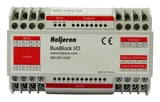
Holjeron technical data for the BusBlock Digital I/O Module for DeviceNet, a compact module for small amounts of I/O, in two versions: the BBK-DNT128 with twelve inputs and eight outputs and the BBK-DNT086 with eight inputs and six relay outputs. It gives electrical, environmental and physical specifications, dimensions and wiring diagrams, configuration and quick start steps, the input and output variables, and the DeviceNet objects, attributes and common services the module supports.
From the sheet · read page by page
Key facts from this sheet
Each line names its page in the PDF.
Holjeron technical data sheet BBK-4045-1 for the BusBlock digital I/O module for DeviceNet, covering the BBK-DNT128 (twelve inputs, eight outputs) and the BBK-DNT086 (eight inputs, six relay outputs). It gives wiring and dimension drawings, quick-start setup, and the DeviceNet objects and attributes used to map and configure the inputs and outputs.
- Device
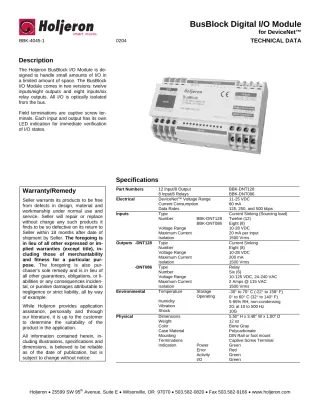
- BusBlock digital I/O module for DeviceNet, for small amounts of I/O in limited space p. 1
- I/O count
- BBK-DNT128: 12 inputs and 8 outputs p. 1, 4, 5
- Isolation
- All I/O optically isolated from the bus p. 1
- Terminals and LEDs
- Captive screw terminals; an LED for each input and output p. 1
- DeviceNet role
- Group 2 Only Server; explicit messaging, polled and change-of-state/cyclic I/O p. 3
- Default address
- MAC ID 63 p. 3
- Poll timeout
- Expects a poll at least every 10 seconds on a polled connection p. 3
- Input data
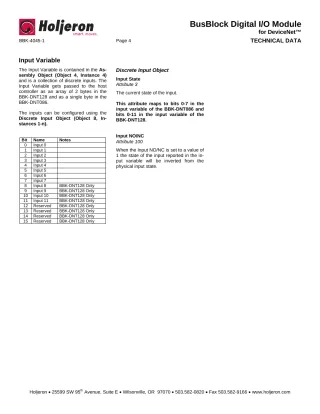
- BBK-DNT128: inputs sent to the host as 2 bytes p. 4
- Input inversion
- Input NO/NC attribute (100) set to 1 inverts the reported input state p. 4
- Output fault action
- 0 sets the output to its Fault Value; 1 holds its last state p. 5
- Output idle action
- 0 sets the output to its Idle Value; 1 holds its last state p. 5
- Output flasher
- Each output can flash when on, at a set rate in Hertz p. 5
- Other version
- BBK-DNT086: 8 inputs and 6 relay outputs p. 1, 4, 5
- Offline messaging
- Supports Offline Connection Set messaging p. 3
What this sheet walks you through
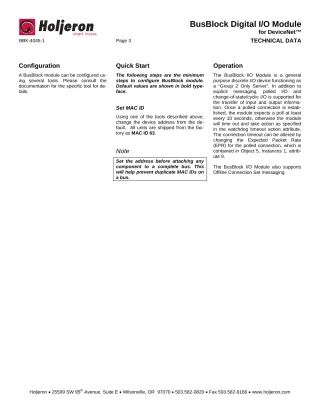
- Setting the MAC ID with a configuration tool p. 3
- Changing the polled connection timeout through the Expected Packet Rate p. 3
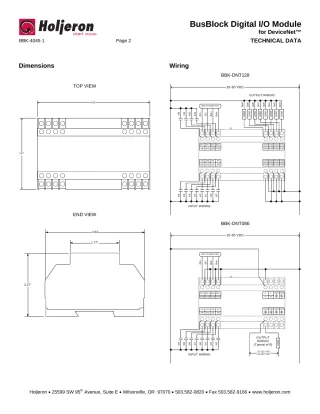
- Wiring the inputs and outputs, with dimension drawings p. 2
- Reading the input variable bit map p. 4
- Setting output fault, idle and flasher behavior p. 5
- Using DeviceNet common services p. 6
- Identity, DeviceNet, connection and discrete I/O object attributes p. 7, 8
Good to know
- Set the address before attaching the module to a complete bus, to help prevent duplicate MAC IDs. p. 3
- Without a poll in time, the module times out and takes the action set in the watchdog timeout action attribute. p. 3
- Not every object supports every common service. p. 6
Questions this sheet answers
How many inputs and outputs does the Holjeron BBK-DNT128 have?
Twelve inputs and eight outputs. The BBK-DNT086 version has eight inputs and six relay outputs. p. 1, 4, 5
What is the default DeviceNet address of a BusBlock module?
MAC ID 63. The sheet says to change it before attaching the module to a complete bus. p. 3
What happens if the BusBlock module is not polled?
Once a polled connection is set up it expects a poll at least every 10 seconds; otherwise it times out and takes its watchdog timeout action. p. 3
Can a BusBlock output flash?
Yes. With Flasher Enable set to 1 an output flashes when on, at the Flasher Rate in Hertz. p. 5
The whole text · 1 part
Read the sheet here as text
Its text as extracted from the PDF, unedited, in parts; each page opens the PDF at that page.
The file