Manual · Cognex
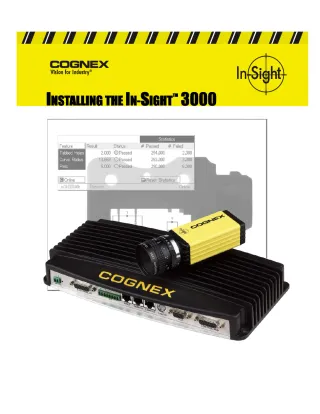
Installing the In-Sight 3000
Manual43 pagesPDF 1.1 MB
Installation manual for the Cognex In-Sight 3000 machine vision system: configurations, connections, network setup and specifications.
Covers · 1 model
The models it covers
Summary
What is in it
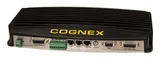
The installation guide for the Cognex In-Sight 3000, a compact, network-ready machine vision system with a separate processor, camera and control pad. It covers safety precautions, standalone and network configurations, installing In-Sight PC Host software, connecting the hardware, adding the unit to DHCP and non-DHCP networks, and full specifications for the processor, its serial, discrete I/O, lights and control pad ports, the camera, and CAT5 cabling, with an appendix on network settings.
Its parts
- Introduction
- Precautions
- In-Sight 3000 Configurations
- Installing In-Sight PC Host Software
- Connecting the In-Sight 3000
- Adding an In-Sight 3000 to a Network
- Specifications
From the manual
Key facts from this manual
Each line names its page in the PDF.
Installation manual for the Cognex In-Sight 3000 machine vision system, made up of a processor, a separate camera and a control pad. It shows the standalone and network setups, how to connect the camera, monitor, power and optional devices, and how to add the unit to a network. It also gives the specifications and connector pinouts of the processor and camera.
- Device type
- Compact, network-ready machine vision system with a spreadsheet interface, configured without a PC p. 7
- Processor part number
- 800-5745-1 p. 27
- Camera part number
- 800-5715-1 p. 34
- Power
- 24 ± 5% VDC, 1 A (includes the camera, lights and an I/O Expansion module), on a detachable 2-pin terminal plug p. 27
- Communications
- RS-232C serial on one RJ-45 port up to 115Kb (RJ-45 to DB-9 adapter supplied); Ethernet 10/100 MBits/sec TCP/IP p. 27
- Discrete I/O
- Built-in 2 inputs and 2 outputs (max 24V, 50 mA); external 8 inputs and 8 outputs with the optional I/O Expansion Module p. 27
- I/O Expansion Module
- Cognex P/N CIO-2350-00, cabled to the EXTERNAL I/O port through its 26-pin connector p. 17
- Memory
- 4 MB non-volatile flash for jobs and programs; 16 MB SDRAM for images; 1 MB for VGA display p. 27
- Display output
- 640 x 480 VGA through a standard 15-pin D-sub connector, with color graphics overlay p. 27
- Camera sensor
- 1/3-inch CCD, 640 x 480 (307,200 pixels), up to 30 full frames per second, 256 gray levels p. 34
- Camera trigger and strobe
- Trigger input low 0.0-0.8 VDC to high 3-24VDC, 50 mA max; strobe output 10 mA pulse of about 128 µsec; 4-pin terminal plug p. 35
- Camera cable
- RJ-45 to RJ-45 shielded twisted pair, 4.5 m (15 ft), 9.1 m (30 ft) or 15.2 m (50 ft) p. 34
- Processor size, weight
- 292.6 x 142.5 x 45.5 mm (width x depth x height); 1060 g (37.1 oz) p. 27
- Operating temperature
- Processor 10 to 50°C; camera 10 to 45°C p. 27, 34
What this manual walks you through
- Choosing a standalone, In-Sight network or factory network setup p. 9, 10, 11, 12, 13
- Connecting the control pad, VGA monitor, camera, lens and 24VDC power p. 16
- Checking the standard connections with a live camera image p. 16
- Connecting an external trigger, Cognex lights, a strobe, a serial device and the I/O Expansion Module p. 17
- Connecting to an Ethernet switch, or directly with a crossover cable p. 17
- Adding the unit to a network with a DHCP server p. 18
- Pinouts of the serial, discrete I/O, LIGHTS, control pad and trigger/strobe connectors p. 28, 29, 31, 32, 35
- Wiring of straight and crossover CAT5 network cables p. 39
- Choosing IP addresses and subnet masks for a private In-Sight network p. 40
Good to know
- Connect the processor and camera only to 24VDC, and observe the polarity marked on the processor. p. 8
- Power down the processor before connecting or disconnecting the camera; hot plugging can damage the hardware. p. 16
- Do not connect an In-Sight 1000 sensor to the processor's CAMERA port. p. 8
- The I/O Expansion Module must have the same ground potential as the processor chassis. p. 17
- Without a network connection, the number of jobs that can be stored is limited. p. 10
Questions this manual answers
What power supply does the In-Sight 3000 need?
24 ± 5% VDC at 1 A, which covers the camera, lights and an I/O Expansion module. It connects through a detachable 2-pin terminal plug. p. 27
Can a PC game pad replace the In-Sight 3000 control pad?
The manual says the control pad connector is electrically compatible with most analog 2-axis, 4-button PC game pads. Disable the game pad's turbo mode if it causes erratic behavior. p. 32
How many discrete inputs and outputs does the In-Sight 3000 have?
Up to ten inputs and ten outputs. Two of each are built into the processor; the other eight need the optional I/O Expansion Module. p. 29
What lens does the In-Sight 3000 camera take?
A C-Mount lens. The focal length needed depends on the working distance and field of view of the application. p. 16
How big is the In-Sight 3000 camera?
93 mm long, 39 mm wide and 43 mm high, excluding the lens, and it weighs 160 g (5.6 oz). p. 34
Contents
Chapters and sections
Each line opens the PDF at its page.
The whole text · 6 parts
Read the manual here as text
Its text as extracted from the PDF, unedited, in parts; each page opens the PDF at that page.
The file