Spec sheet · Festo
Festo CPX-FB-32 Spec Sheet
Spec sheet2 pagesPDF 424 KB
Both pages are below, each with its text.
Covers · 1 model
The models it covers
From the sheet · read page by page
Key facts from this sheet
Each line names its page in the PDF.
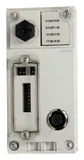
Festo two-page product short information sheet for the CPX-FB32 Ethernet/IP node, which connects a CPX/MPA valve terminal to an Ethernet/IP network and a Rockwell Automation controller. It summarizes the node's features, IT services and technical data, with example control system layouts.
- Device
- Ethernet/IP fieldbus node for CPX/MPA valve terminals, linking them into a Rockwell Automation environment p. 1
- Protocol
- Industrial Ethernet, Ethernet/IP p. 2
- Ethernet port
- 4-pin M12 D-coded connector, 10/100 Mbit/s p. 2
- IP addressing
- DIL switches, DHCP/BootP, CPX-MMI or software tools p. 2
- Display
- 8 diagnostic LEDs for system diagnostics and network status p. 2
- Operator controls
- DIL switches set device type, system diagnostics and IP address p. 2
- Protection class
- IP65/IP67 p. 2
- IT services
- Web server for remote maintenance, integrated website for diagnostics and process data, e-mail alarm, DHCP p. 2
- Handheld interface
- Connection for the optional CPX-MMI handheld operator interface unit p. 1, 2
- System expansion
- Works as modular or distributed remote I/O over Ethernet/IP; supports full expansion of the CPX periphery p. 2
- Applications
- Production and process automation with high diagnostic requirements p. 1
What this sheet walks you through
- Using web pages and e-mail alarms for diagnostics p. 1
- Example layouts with MPA and CPV valve terminals and a Rockwell PLC p. 2
Good to know
- The sheet is marked subject to change. p. 2
Questions this sheet answers
What does the Festo CPX-FB32 do?
It is an Ethernet/IP node that connects a CPX/MPA valve terminal to an Ethernet/IP network and a Rockwell Automation controller. p. 1
What Ethernet connector does the CPX-FB32 use?
A 4-pin M12 D-coded connector running at 10/100 Mbit/s. p. 2
How is the IP address set on the CPX-FB32?
By DIL switches, DHCP/BootP, the CPX-MMI handheld unit or software tools. p. 2
The file
Size and text
Every page · 2
Read it here
Each page as it is printed, and its words beside it, so a phone can search and copy them.
Page1of 2
Open in the PDF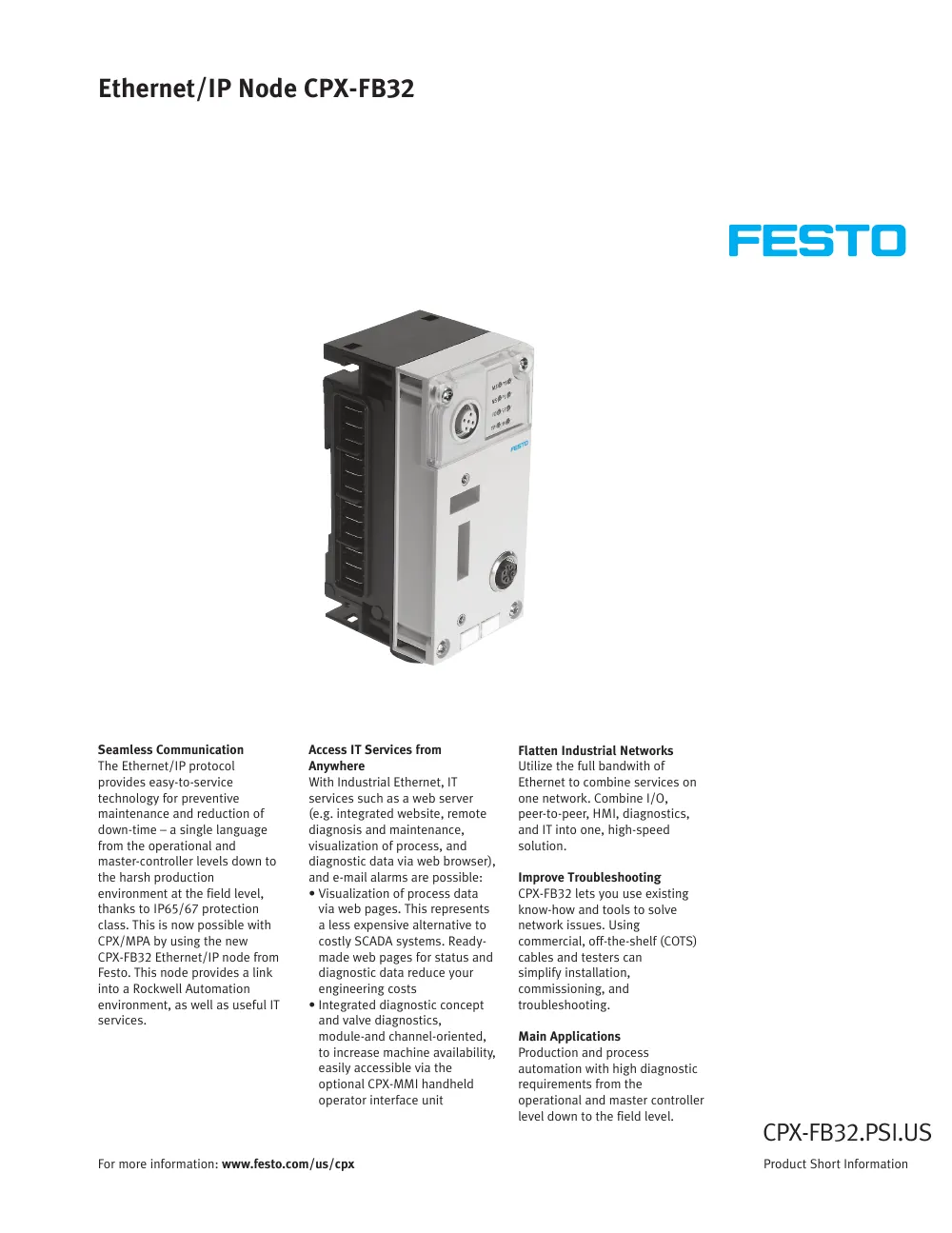
The text of page 1, from the PDF itself
Ethernet/IP Node CPX-FB32
Seamless Communication The Ethernet/IP protocol provides easy-to-service technology for preventive maintenance and reduction of down-time – a single language from the operational and master-controller levels down to the harsh production environment at the field level, thanks to IP65/67 protection class. This is now possible with CPX/MPA by using the new CPX-FB32 Ethernet/IP node from Festo. This node provides a link into a Rockwell Automation environment, as well as useful IT services.
Access IT Services from Anywhere With Industrial Ethernet, IT services such as a web server (e.g. integrated website, remote diagnosis and maintenance, visualization of process, and diagnostic data via web browser), and e-mail alarms are possible:
- Visualization of process data via web pages. This represents a less expensive alternative to costly SCADA systems. Readymade web pages for status and diagnostic data reduce your engineering costs
- Integrated diagnostic concept and valve diagnostics, module-and channel-oriented, to increase machine availability, easily accessible via the optional CPX-MMI handheld operator interface unit
For more information: www.festo.com/us/cpx
Flatten Industrial Networks Utilize the full bandwith of Ethernet to combine services on one network. Combine I/O, peer-to-peer, HMI, diagnostics, and IT into one, high-speed solution. Improve Troubleshooting CPX-FB32 lets you use existing know-how and tools to solve network issues. Using commercial, off-the-shelf (COTS) cables and testers can simplify installation, commissioning, and troubleshooting. Main Applications Production and process automation with high diagnostic requirements from the operational and master controller level down to the field level.
CPX-FB32.PSI.US Product Short Information
Page2of 2
Open in the PDF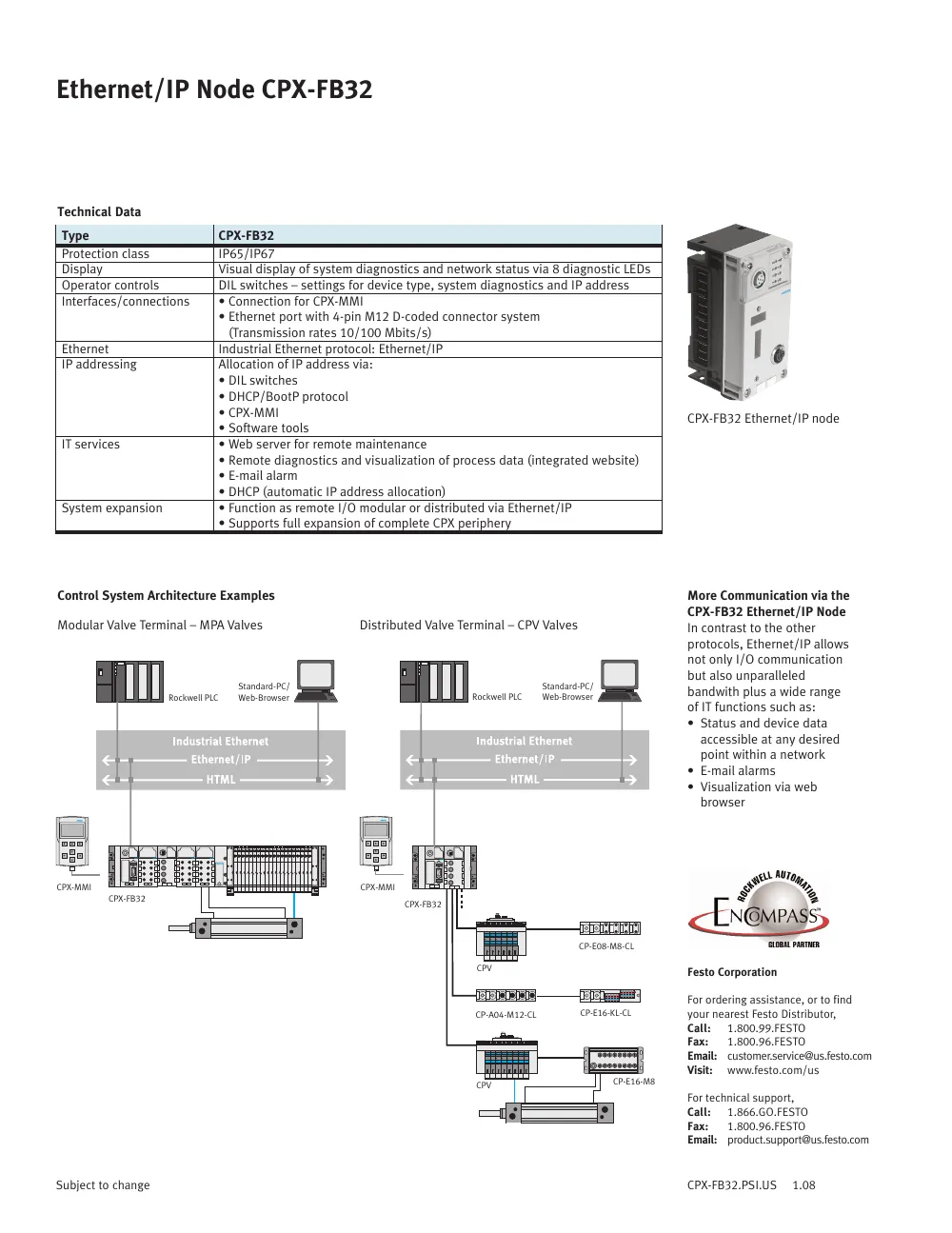
The text of page 2, from the PDF itself
Ethernet/IP Node CPX-FB32
Technical Data Type Protection class Display Operator controls Interfaces/connections Ethernet IP addressing
IT services
System expansion
CPX-FB32 IP65/IP67 Visual display of system diagnostics and network status via 8 diagnostic LEDs DIL switches – settings for device type, system diagnostics and IP address
- Connection for CPX-MMI
- Ethernet port with 4-pin M12 D-coded connector system (Transmission rates 10/100 Mbits/s) Industrial Ethernet protocol: Ethernet/IP Allocation of IP address via:
- DIL switches
- DHCP/BootP protocol
- CPX-MMI
- Software tools
- Web server for remote maintenance
- Remote diagnostics and visualization of process data (integrated website)
- E-mail alarm
- DHCP (automatic IP address allocation)
- Function as remote I/O modular or distributed via Ethernet/IP
- Supports full expansion of complete CPX periphery
Control System Architecture Examples Modular Valve Terminal – MPA Valves
Modular Valve Terminal – MPA Valves
Rockwell PLC
More Communication via the CPX-FB32 Ethernet/IP Node In contrast to the other protocols, Ethernet/IP allows not only I/O communication but also unparalleled bandwith plus a wide range of IT functions such as:
- Status and device data accessible at any desired point within a network
- E-mail alarms
- Visualization via web browser
Distributed Valve– CPV Terminal – CPV Valves Distributed Valve Terminal Valves
Standard-PC/ Web-Browser
Rockwell PLC
CPX-FB32 Ethernet/IP node
Standard-PC/ Web-Browser
CPX-MMICPX-MMI CPX-FB32CPX-FB32CP-E08-M8-CL CPVCP-A04-M12-CLCPVSubject to changeFesto CorporationCP-E16-KL-CL
For ordering assistance, or to find your nearest Festo Distributor, Call: 1.800.99.FESTO Fax: 1.800.96.FESTO Email: customer.service@us.festo.com Visit: www.festo.com/us
CP-E16-M8
For technical support, Call: 1.866.GO.FESTO Fax: 1.800.96.FESTO Email: product.support@us.festo.com
CPX-FB32.PSI.US
1.08