Manual · Foxboro
760 Series SINGLE STATION MICRO Controller Product Specifications
Manual12 pagesPDF 1.5 MB
Product specifications for the Foxboro 760 Series SINGLE STATION MICRO controller: 760CNA housing-mounted and 760CSA shelf-mounted models.
What this file really is
The old site listed this file as a manual for the Foxboro 760CSA. This is a product specification sheet for the 760 Series controller, not a user manual.
Filed under · 1 model
Filed under these models in the old catalog
Summary
What is in it
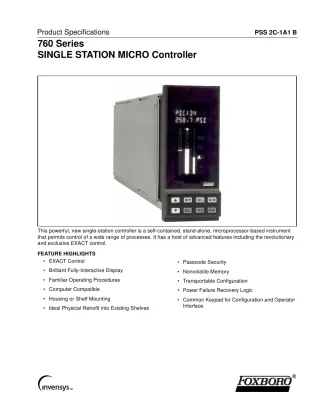
Foxboro product specification sheet for the 760 Series SINGLE STATION MICRO controller, a stand-alone microprocessor-based process controller with EXACT self-tuning control. It covers the 760CNA housing-mounted and 760CSA shelf-mounted versions: features, input and output signals, alarms, supply voltage, front panel, control adjustments, accuracy, physical specifications, model codes, safety certifications, optional features, accessories, dimensions and ordering instructions.
Its parts
- Feature Highlights
- EXACT Control
- Choice of Housing or Shelf Mounting
- Simplified Configuration and Operation
- Copy Feature
- Ready for Computer Tie-In
- Complete Security for Process Settings
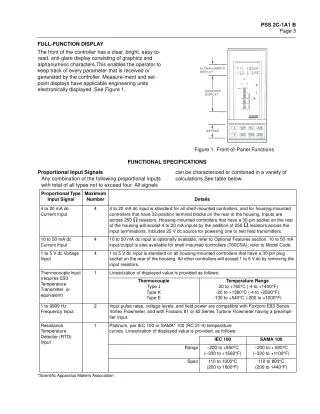
- Full-Function Display
- Functional Specifications
- Performance Specifications
- Physical Specifications
- Model Code
- Product Safety Specifications
- Optional Features
- Accessories
From the manual · read page by page
Key facts from this manual
Each line names its page in the PDF.
Foxboro product specification sheet PSS 2C-1A1 B for the 760 Series SINGLE STATION MICRO Controller. It covers both the housing-mounted 760CNA and the shelf-mounted 760CSA. It lists the inputs, outputs, supply, display, control and accuracy specifications, the model codes, options, accessories and nominal dimensions.
- What it is
- Self-contained, microprocessor-based single-station process controller with EXACT self-tuning control p. 1
- 760CSA mounting
- 760CSA: mounts in a 202S Series Shelf, or for retrofits in EH, 101 or 102 Series Shelves p. 5
- 760CSA connectors
- 760CSA: 20-pin (code -2) or 30-pin (code -3) quick-disconnect signal connector; 3-position power cord connector p. 5, 6, 8
- Inputs
- Up to four: 4 to 20 mA dc, 10 to 50 mA dc, 1 to 5 V dc, thermocouple (via E93 transmitter), 1 to 9999 Hz frequency, RTD p. 3
- Outputs
- Control 4 to 20 mA into 500Ω max; auxiliary 1 to 5 V dc into 2 kΩ min; two NPN open collector switch outputs, 50 V dc, 250 mA max p. 4
- Supply voltage
- 24, 100, 120, 220 or 240 V ac (+10, -15%), 47 to 63 Hz, 30 VA max; or 24 V dc (+20%, -10%), 1 A max p. 4
- Communications
- RS485 serial port; connects to a PC through an RS232C-RS485 converter p. 2
- Display and keypad
- Fluorescent display with two lines of 9 characters and three 50-segment bar graphs; 8-key keypad p. 4
- Control adjustments
- Proportional band 1 to 8000%; integral 0.014 to 200 minutes/repeat; derivative 0 to 100 minutes p. 4
- Transmitter power
- 25 V dc for two 4 to 20 mA transmitters (65 V dc for one with the 10 to 50 mA option) p. 4
- Memory
- Nonvolatile memory for all configuration and operating parameters; no batteries p. 4
- Operating limits
- 5 and 50°C (40 and 120°F); 5 and 95% humidity p. 4
- Mass
- Approximately 4.5 kg (10 lb) p. 5
- Copy accessory parts
- K0143DV configuration copy accessory; K0143SA spare NOVRAM p. 8
What this manual walks you through
- Copying a controller configuration to another controller with NOVRAMs p. 2, 8
- Restricting operator changes with passcode security p. 2
- Connecting the controller to a personal computer p. 2
- Retrofitting a 760CSA into existing 101, 102, 202 and EH shelves p. 8
- Reading the model code and ordering options p. 6, 10
- Finding the shelf dimension prints for the 760CSA p. 10
Good to know
- 760CSA: the RTD input option is not available with the 20-pin signal connector (code -2). p. 6
- 760CSA: the 10 to 50 mA option is not available with a 24 V supply (code -D or -E). p. 6
- A replacement shelf signal connector assembly also needs a replacement power cord. p. 8
- Keys must be held at least 0.2 seconds to register. p. 4
Questions this manual answers
Which Foxboro shelves does the 760CSA fit?
The 202S Series Shelf, or in retrofit installations the EH, 101 or 102 Series Shelves. p. 5
What power does the Foxboro 760 controller need?
24, 100, 120, 220 or 240 V ac at 47 to 63 Hz (30 VA max), or 24 V dc at up to 1 A, as specified when ordered. p. 4
How do I copy the configuration of one 760 controller to another?
With power off, remove the configured NOVRAM, plug in the copy accessory (part K0143DV), plug both NOVRAMs into it, then turn the power on. p. 2, 8
Does the 760 controller need a battery to keep its settings?
No. Settings are kept in nonvolatile memory and no batteries are used. p. 4
Contents
Chapters and sections
Each line opens the PDF at its page.
- 760 Series SINGLE STATION MICRO Controller1
- FEATURE HIGHLIGHTS1
- EXACT CONTROL2
- CHOICE OF HOUSING OR SHELF MOUNTING2
- SIMPLIFIED CONFIGURATION AND OPERATION2
- COPY FEATURE2
- READY FOR COMPUTER TIE-IN2
- COMPLETE SECURITY FOR PROCESS SETTINGS2
- FULL-FUNCTION DISPLAY3
- FUNCTIONAL SPECIFICATIONS3
- PERFORMANCE SPECIFICATIONS5
- PHYSICAL SPECIFICATIONS5
- MODEL CODE - 760CNA6
- MODEL CODE - 760CSA6
- PRODUCT SAFETY SPECIFICATIONS7
- OPTIONAL FEATURES7
- ACCESSORIES8
- DIMENSIONS – NOMINAL9
- ORDERING INSTRUCTIONS10
The whole text · 2 parts
Read the manual here as text
Its text as extracted from the PDF, unedited, in parts; each page opens the PDF at that page.
The file