Manual · GE Fanuc
Genius I/O Discrete and Analog Blocks User's Manual: 16 Circuit DC I/O Blocks
Manual23 pagesPDF 1.3 MB
GE Fanuc Genius I/O manual section for the 16 circuit DC I/O blocks, including the IC660BBD022 block and IC660EBD020 electronics assembly.
Covers · 6 models
The models it covers
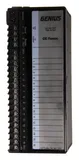 GE Fanuc IC660BBD022I/O module from$575.001 in stock GE Fanuc IC660EBD020LI/O module from$475.001 in stock Fanuc IC660BBD022I/O module Call for availability GE IC660BBD022I/O module Call for availability Fanuc IC660EBD020LI/O module Call for availability GE IC660EBD020LI/O module Call for availability
Summary
What is in it
Section of GE Fanuc's Genius I/O Discrete and Analog Blocks User's Manual covering the 16 circuit DC source and sink I/O blocks: the 24 VDC source block IC660BBD022, the 24/48 VDC source block IC660BBD020 and the matching sink blocks, with their terminal and electronics assemblies (IC660EBD020, IC660EBD021). It gives specifications, block operation for source and sink types, diagnostics, field wiring and power disconnects, block configuration features and a configuration worksheet. A reseller cover page comes first.
From the manual
Key facts from this manual
Some pages are scans or cannot be read; this says only what the readable text supports. Each line names its page in the PDF.
Chapter 8 of the GE Fanuc Genius I/O Discrete and Analog Blocks User's Manual (GEK-90486D-2, September 1993), on the 16 circuit DC input/output blocks: source blocks IC660BBD022 (24 VDC) and IC660BBD020 (24/48 VDC), and sink blocks IC660BBD023 and IC660BBD021. It gives specifications, field wiring, diagnostics and the Hand-held Monitor configuration steps. It names the source-block electronics assembly as IC660EBD020, without the L suffix.
- Device
- Genius 16 circuit DC I/O block; each circuit can be an input, tristate input or output p. 2
- IC660BBD022
- IC660BBD022: 24 VDC source block for 2-wire and 3-wire solid state and electromechanical sensors p. 2
- IC660EBD020
- IC660EBD020: electronics assembly only, listed for source blocks IC660BBD020 and IC660BBD022 p. 3
- Block power
- No separate block power supply; control power comes from the I/O device voltage p. 2
- Operating voltage
- 18-30 VDC (24 V blocks); 18-56 VDC (24/48 V blocks) p. 3
- Output current
- 2 amps per circuit p. 3
- Compatibility
- Any Genius bus controller, PCIM or QBIM module; all Genius Hand-held Monitors p. 2
- Source input levels
- Source blocks, 24 VDC supply: input ON 16-24 VDC, OFF 0-7 VDC p. 3
- Size and weight
- 8.83 x 3.50 x 3.94 in (22.44 x 8.89 x 10.00 cm), height x width x depth; 4 lbs. (1.8 kg) p. 3
- Operating temperature
- 0 to +60C (32 to +140F) p. 3
- Output diagnostics
- Short circuit, overload, no load, failed switch, overtemperature p. 3
- Bus baud rate
- 153.6 Kbd standard (default), 153.6 extended, 76.8 or 38.4 Kbd p. 11
- Input filter default
- 20 mS p. 15
- Overload shutdown
- Optional per output; trips when a load exceeds 2.8 amps DC p. 8
What this manual walks you through
- Wiring inputs and outputs to a DC source block p. 10
- Field wiring: terminal sizes and DC power connections p. 9
- Wiring power disconnects so block and input power are removed together p. 10
- Wiring a Bus Switching Module p. 10
- Understanding the overtemperature, short circuit, failed switch, open wire, no load and overload diagnostics p. 6, 7, 8
- Configuring the block with a Hand-held Monitor p. 11
- Pulse testing outputs p. 13, 14
- Choosing the input filter time p. 15
- Setting hold last state and output defaults for loss of CPU communications p. 18, 19
- Setting CPU redundancy and configuration protection p. 22, 23
Good to know
- Turn off the No Load diagnostic for outputs whose very small loads (small relays, transformers, indicating lamps) draw less than 50 mA. p. 8
- If circuit power is not removed at the same time as block power, the block may power up when several inputs are activated. p. 10
- The Short Circuit diagnostic detects shorts across the load only. p. 6
- Photo-sensors, high-speed counters, instrumentation and fiber optic sensors cannot be monitored for Open Wire and should be standard inputs. p. 7
- With Overload Shutdown off for loads above 2 amps, the manual limits load current to 5 amps DC, ON time to 1 minute and all outputs together to under 16 amps. p. 8
Questions this manual answers
What is the GE IC660BBD022?
A Genius 24 VDC source block with 16 circuits, each configurable as an input, tristate input or output, for 2-wire and 3-wire solid state and electromechanical sensors. p. 2
What operating voltage does the IC660BBD022 need?
The 24 V blocks operate on 18-30 VDC. The block takes its power from the I/O device voltage, so no separate block power supply is needed. p. 2, 3
How much current can each output of a Genius 16 circuit DC block switch?
2 amps per circuit. With Overload Shutdown turned off, a load may draw up to 5 amps DC within the manual's duty cycle and ON time limits. p. 3, 8
What does the NO LOAD message mean on a Genius DC block?
The load on the output did not continuously draw 50mA. The manual says to disable this diagnostic for very small loads under 50 mA. p. 8
How do I protect the block configuration from changes?
Configuration Protection is selected only from the Hand-held Monitor, and the manual says to protect the configuration before the block is used in the system. p. 23
The whole text · 3 parts
Read the manual here as text
Its text as extracted from the PDF, unedited, in parts; each page opens the PDF at that page.
The file