Manual · Keyence
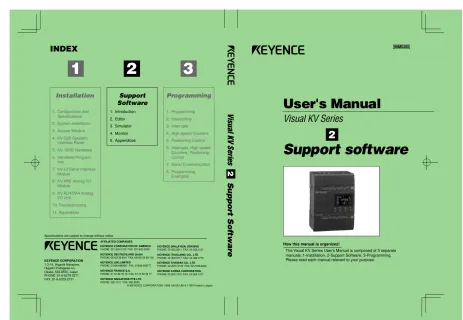
Visual KV Series User's Manual 2: Support Software
Manual105 pagesPDF 910 KB
User's manual for Keyence's Ladder Builder for KV support software, used to program Keyence KV Series PLCs such as the KV-16R.
Filed with · 1 model
Also filed with these models on the old site
Summary
What is in it
Volume 2 (Support Software) of Keyence's Visual KV Series user's manual, which applies to the Visual KV and the conventional KV-300 and KV-10/80 Series PLCs (the KV-16R is one of the conventional models listed). It introduces the Ladder Builder for KV software and how to install it and connect a personal computer, then explains the Editor for writing ladder programs, the Simulator for testing them, and the Monitor for communicating with and watching a running PLC. Appendices list instructions, devices, sample programs and shortcuts.
Its parts
- Introduction
- Editor
- Simulator
- Monitor
- Appendices
From the manual
Key facts from this manual
Each line names its page in the PDF.
Volume 2 (Support Software) of the Keyence Visual KV Series User's Manual, about the Ladder Builder for KV programming software for Windows. It applies to the Visual KV series and to the conventional KV-300 and KV-10/80 series, which include the KV-16R(W)/T(W). It gives the PC requirements, the connection cable, the installation steps and the basic way of working.
- What it is
- Ladder Builder for KV, Windows software for creating sequence programs (KV-H6WE2) p. 25, 28
- Operating systems
- Windows 3.1 or Windows 95 p. 27
- PC
- IBM PC and PC/AT or compatible with an RS-232C interface p. 27
- CPU and memory
- i486DX2 or higher (Pentium 90 MHz recommended); 8 MB RAM (16 MB recommended) p. 27
- Connection cable
- Connection cable and D-sub 9-pin conversion connector, models OP-26487 and OP-26486 p. 31
- Connectors
- PC D-Sub 9-pin serial port to the PLC's RJ-11 modular connector p. 31
- Hard disk space
- 4.5 MB free p. 33
- Display
- 640 x 480 or higher; 1,024 x 768 or higher recommended p. 37
- Media
- Two 3 1/2" floppy disks (1.44 MB), master disks #1 and #2 p. 26
- Modes
- Editor, monitor and simulator p. 38
- Visual KV support
- From Ladder Builder for KV Ver 1.5 p. 32
- Printer
- Windows printer, 300 dpi or higher p. 27
- Default install folder
- C:\KEYENCE\Lbk p. 35
What this manual walks you through
- Installing the software in Windows 95 p. 34, 35, 36
- Installing the software in Windows 3.1 p. 36
- Connecting the PC to a KV Series PLC p. 31
- Starting and exiting the software p. 40
- Setting the PLC model used p. 41
- Creating, compiling, debugging and transferring a ladder program p. 38, 39
- Changing a program in RUN mode on a Visual KV p. 7
Good to know
- Connecting the PLC to the PC's printer port by mistake may damage the PC or the PLC. p. 31
- Use the dedicated cable; another cable may not work properly. p. 31
- Do not switch off the PLC or unplug the cable while the monitor runs. p. 37
- The software does not support long file names: 8 characters plus a 3-character extension. p. 37
- With LADDER BUILDER for KV Ver. 1.0x on a Visual KV, never use the monitor's Change All function. p. 6
Questions this manual answers
What cable connects a PC to a Keyence KV PLC?
The manual names a connection cable and a D-sub 9-pin conversion connector, models OP-26487 and OP-26486, from the PC's serial port to the PLC's RJ-11 connector. p. 31
Which Windows versions does Ladder Builder for KV run on?
Windows 3.1 and Windows 95. p. 27
What does the "Unmatched model" message mean in Ladder Builder for KV?
The PLC model set in the software does not match the PLC connected; program transfer and the monitor are disabled until it is set correctly. p. 41
Can I test a KV ladder program without a PLC connected?
Yes. The simulator runs and monitors the program without a PLC. p. 29
Why does a new Visual KV show a blinking "Error 40"?
It shows this when no program is loaded; pressing any key around the display cancels it. p. 2
The whole text · 12 parts
Read the manual here as text
Its text as extracted from the PDF, unedited, in parts; each page opens the PDF at that page.
The file