Manual · Omron
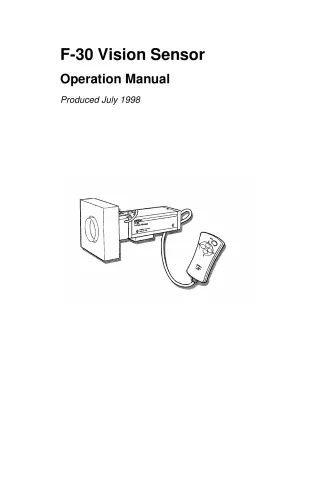
F-30 Vision Sensor Operation Manual
Manual37 pagesPDF 465 KB
Operation manual for the Omron F-30 Vision Sensor, set up and run with the F-30KP console sold separately.
Filed with · 1 model
Also filed with these models on the old site
Summary
What is in it
Omron operation manual for the F-30 Vision Sensor, a camera and controller that measures an object's surface area by binary conversion and judges it HIGH, OK or LOW. It covers the operational flow, the parts and the F-30KP console keys, the screen and modes, setup in TEACH (AUTO or MANUal), MONitor and RUN modes, installation and wiring of the I/O power cable, LED illuminator, monitor and console, SPECIAL mode, troubleshooting, maintenance, specifications, dimensions and the menu tree.
Its parts
- Introduction
- Setup
- Installation
- SPECIAL Mode
- Troubleshooting
- Inspection and Maintenance
From the manual · read page by page
Key facts from this manual
Some pages are scans or cannot be read; this says only what the readable text supports. Each line names its page in the PDF.
Operation manual for the Omron F-30 Vision Sensor, a camera and controller that checks the size of an object from a binary image. The F-30KP is the console sold separately for it, which the manual lists as an accessory. It walks through teaching, testing and running inspections, installation and wiring, SPECIAL mode settings, troubleshooting, maintenance and specifications.
- Device
- Vision sensor that measures surface area by binary conversion and judges HIGH, OK or LOW p. 1, 29
- Console
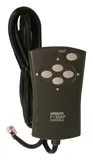
- F-30KP, sold separately, 1.5 m (59.1") cable p. 5, 18
- Power supply
- 12VDC supply, 10 W min.; 10.8 to 13.2VDC at the controller p. 18, 27
- Signals
- TRIGGER input from an external device; HIGH/OK/LOW judgment outputs and a GATE control output p. 5
- Monitor
- NTSC monitor with external video input, connected by an RCA pin plug video cable p. 22, 29
- Image
- 510 x 492 pixels, 256 gray scale intensities p. 34
- Working distance
- 115 mm (4.53") from camera to object; lens focused at the factory p. 19
- Shutter speeds
- 1/60 to 1/4000 second, set in SPECIAL mode p. 23, 24
- GATE time
- 1 to 99 ms p. 24
- Continuous rate
- Measures every 50 ms with GATE time 1 to 46 ms, every 100 ms with 47 to 96 ms p. 25
- Environment
- 0 to 40 (32 to 104°F); humidity 35 to 80%; no condensation p. 19
- Weight
- About 430 g (15 oz.) p. 29
- Replacement LED
- F-30L1 LED illumination device, replaced about every 10,000 hours p. 28, 30
- Power supplies
- Recommended: S82K-01512, S82K-03012, S82J-6112, S82J-6212, S82J-6512 p. 30
What this manual walks you through
- Teaching the reference image and pass/fail conditions automatically p. 9, 10
- Setting the window, binary level, target color and judgment range by hand p. 10, 11, 12, 13, 14, 15
- Testing judgments in MONitor mode without output signals p. 16
- Running inspections in RUN mode p. 17
- Wiring the I/O power supply cable p. 20, 21
- Connecting the LED illuminator, monitor and console p. 21, 22
- Changing defaults, trigger or continuous mode, shutter speed and GATE time in SPECIAL mode p. 23, 24, 25
- Finding the cause of common problems p. 26
- Periodic inspection and cleaning p. 27
- Replacing the LED illumination device p. 28
Good to know
- Because the illumination is a red LED, a red object may not convert properly to a binary image. p. 9
- Do not loosen the lens mounting screws; adjusting the lens may cause inaccurate operation. p. 19
- The LED darkens about 30% after 10,000 hours, so the reference image should be registered again periodically. p. 17
- Remove the console when operating in RUN mode to avoid inaccurate results. p. 17
- On an overscan television used as the monitor, part of the display may not be visible. p. 7
Questions this manual answers
What part number is the F-30 console?
The console is the F-30KP, sold separately, with a 1.5 m (59.1") cable. p. 18
What power supply does the Omron F-30 need?
A 12VDC power supply of 10 W min. The voltage at the controller should be 10.8 to 13.2VDC. p. 18, 27
How far should the F-30 camera be from the object?
115 mm (4.53"), the distance at which the lens is focused at the factory. p. 19
The whole text · 4 parts
Read the manual here as text
Its text as extracted from the PDF, unedited, in parts; each page opens the PDF at that page.
The file