Manual · Sixnet
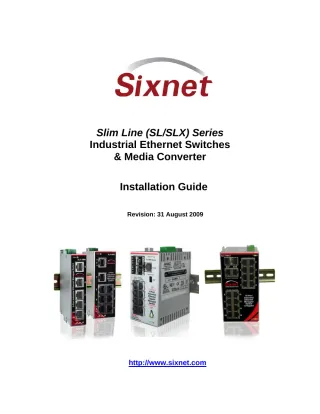
Slim Line (SL/SLX) Series Industrial Ethernet Switches & Media Converter Installation Guide
Manual30 pagesPDF 1.9 MB
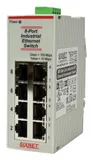
Installation guide for Sixnet Slim Line (SL/SLX) industrial Ethernet switches and media converter, including the 8-port SL-8ES.
Covers · 1 model
The models it covers
Summary
What is in it
Sixnet's installation guide for the Slim Line (SL/SLX) series of industrial Ethernet switches and media converter, from the 2-port SL-2ES to the 18-port SLX-18MG, including the 8/9-port unmanaged SL/SLX-8ES/9ES. It covers general information and approvals, the LED indicators, DIN rail and panel mounting with dimensions, power wiring, communication wiring, technical specifications and service information. Management functions of the managed models are in separate software manuals.
Its parts
- General Information
- LED Indicators
- Installation / Mounting
- Power Wiring
- Communication Wiring
- Technical Specifications
- Service Information
From the manual
Key facts from this manual
Each line names its page in the PDF.
This is the Sixnet installation guide for the Slim Line (SL/SLX) industrial Ethernet switches and media converter, revision of 31 August 2009. It covers the SL-2ES, SL/SLX-5ES, 5MS, 5MS-MDM, 6ES, 8ES/9ES, 8MS and 8MG, and the SLX-10MG-1, SLX-16MS-1 and SLX-18MG-1, including the unmanaged 8-port SL-8ES. It explains the LEDs, DIN rail and panel mounting, power and communication wiring, and gives the technical specifications.
- Device type
- SL/SLX-8ES/9ES: 8/9-port unmanaged industrial Ethernet switch with 8 or 9 10/100 ports p. 2
- Setup
- Unmanaged ES models have no user settings: plug and play p. 4
- Power
- 10-30 VDC (continuous) on P1, optional redundant second supply on P2 p. 18, 28
- RJ45 ports
- Shielded RJ45 with auto-negotiation, auto-mdi/mdix-crossover and auto-polarity; Cat. 5 or better, 100 meters p. 4, 22
- Operating temperature
- SL-2/5/6/8/9ES models: -10 to +60°C; SLX-5/6/8/9ES-1/2/3/4/5 models: -40 to +85°C p. 29
- Weight
- SL-6/8/9ES-1/2/3/4/5 in Lexan case: 6 oz (0.17 kg); SLX-6/8/9ES-1/2/3/4/5 in metal case: 8 oz (0.23 kg) p. 29
- Power draw
- Typical with all ports at 100 Mbps: 4.0 W (8-port unmanaged w/ 0 fiber); 8.0 W (8-port unmanaged w/ 3 fiber) p. 28
- Switch type
- Store and forward, wire-speed, non-blocking; all standard IEEE 802.3 protocols p. 4
- Mounting
- Snaps onto standard DIN rail EN50022 (35 mm) or screws to a flat panel p. 8, 12
- Fiber ports
- On models with fiber: 100 Mbps with dual SC or ST connectors; 4 km multimode, 20 km singlemode, up to 120 km long haul p. 22, 27
- Enclosure
- IP30; UL94V0 Lexan plastic or aluminum metal case p. 29
- Approvals
- The manual states UL508, CSA C22.2/14, UL1604 and CSA C22.2/213 (Class I, Div. 2), ATEX Zone 2, FCC part 15 Class B p. 4, 5
- MTBF
- >1,000,000 hours typical (MIL-HDBK-217F2 Ground Benign at 35˚C) p. 29
What this manual walks you through
- Reading the power, link, activity and speed LEDs p. 6, 7
- Mounting on and removing from a DIN rail, Lexan and metal cases p. 8, 9
- Mechanical dimensions and panel mounting of the ES models p. 12
- Wiring single or redundant DC power p. 18, 19
- Wiring RJ45 Ethernet cables and shields p. 22
- Connecting fiber optic ports TX to RX p. 22
- Warnings before replacing, wiring or disconnecting a unit p. 5
Good to know
- Unplug the screw terminal block before wiring; on metal cases a screwdriver can short the power to the case. p. 18
- For UL, fit a 3.33 Amp maximum fuse at the input or use a Class 2 rated power supply. p. 18
- Tighten the terminal screws to a maximum of 5 in/lb (0.57 Nm). p. 18
- Do not connect a telephone line into an Ethernet RJ45 connector. p. 5
- For marine compliance, do not install within 5 meters of a magnetic compass. p. 5
Questions this manual answers
What voltage does the Sixnet SL-8ES switch need?
10 to 30 VDC between P1 (plus) and the minus terminal; a second supply can be added for redundant power. p. 18
Does the SL-8ES need to be configured?
No. Unmanaged ES models have no user settings and start working as soon as they are powered up. p. 4
Do I need a crossover cable for the Sixnet Slim Line switch?
No. All ports detect mdi/mdix crossover, so straight through or crossover cable works. p. 22
How long can the Ethernet cable be?
Typically 100 meters (328 ft.) for 10/100/1000BaseT, using Cat. 5 or better twisted pair. p. 22
What temperature range is the SL-8ES rated for?
The SL-2/5/6/8/9ES models are rated -10 to +60°C, with cold startup at -10°C. p. 29
The whole text · 3 parts
Read the manual here as text
Its text as extracted from the PDF, unedited, in parts; each page opens the PDF at that page.
The file