Manual · Allen-Bradley
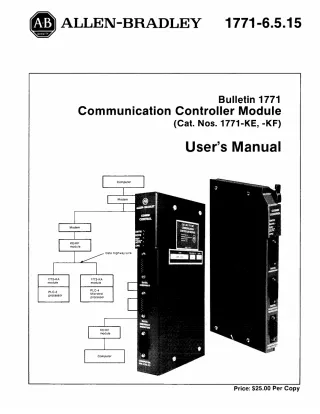
Bulletin 1771 Communication Controller Module (Cat. Nos. 1771-KE, -KF) User's Manual
Manual228 pagesPDF 9.6 MB
User's manual for the Allen-Bradley 1771-KE and 1771-KF communication controller modules linking RS-232-C devices to Data Highway.
Covers · 1 model
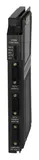
The models it covers
Summary
What is in it
Allen-Bradley user's manual for the Bulletin 1771 Communication Controller Modules, cat. nos. 1771-KE (I/O rack mounted) and 1771-KF (stand-alone). These modules link intelligent RS-232-C devices such as computers to an Allen-Bradley Data Highway. The manual explains Data Highway concepts, installation and option switch settings, the full-duplex and half-duplex link protocols, the command set for PLC, PLC-2, PLC-3 and PLC-4 processors, data encoding and addressing, and error reporting.
Its parts
- Introduction
- Data Highway Concepts
- Installation
- RS-232-C Link Protocols
- Message Packet Formats
- Data Manipulation
- Error Reporting
From the manual
Key facts from this manual
Some pages are scans or cannot be read; this says only what the readable text supports. Each line names its page in the PDF.
User's manual (publication 1771-6.5.15, 1985) for the Allen-Bradley Bulletin 1771 Communication Controller Modules 1771-KE and 1771-KF, which link an intelligent RS-232-C device to an Allen-Bradley Data Highway. It covers installing and powering the modules, the option switches, RS-232-C cabling to computers, modems and other communication modules, and the full-duplex and half-duplex protocols with their error codes.
- Function
- Links an intelligent RS-232-C device to an Allen-Bradley Data Highway, with full-duplex or half-duplex protocol p. 13
- Mounting
- 1771-KE: in a Bulletin 1771 I/O rack; 1771-KF: stand-alone mounting bracket p. 46, 48
- Power
- +5V DC; 1771-KE: from its 1771 I/O rack; 1771-KF: 1771-P2 supply or equivalent, 1770-CF power cable p. 48
- RS-232-C rate
- Up to 19,200 bits per second p. 46
- Longline rate by length
- Up to 2,000 ft: 19,200; 2,000 to 4,000 ft: 9,600; 4,000 to 6,000 ft: 4,800; 6,000 to 7,000 ft: 2,400 bits per second p. 53
- Front connectors
- DATA HIGHWAY (15-pin dropline), DATA HIGHWAY MONITOR (not used), COMPUTER (RS-232-C) p. 51, 52
- RS-232-C connector
- Female 15-pin D-shell; 1770-CG or 1770-CP adapter cable goes to a standard 25-pin connector p. 53
- Cables
- 1770-CG data terminal interface cable to a computer; 1770-CP modem interface cable; each 16.5 feet p. 55, 56
- Longline cable
- Belden 8723 or equivalent (1778-CR), 15-pin male connector each end, up to 7,000 feet p. 57
- Distance limits
- Within 100 cable feet of the Data Highway trunkline; within 50 cable feet of a directly connected RS-232-C device p. 46
- Replaces
- 1771-KE replaces a 1771-KC; 1771-KF replaces a 1771-KD, without changing application programs p. 17
- Connected devices
- Computers, Advisor Color Graphic System, PLC-3 with 1775-KA, PLC-2 family with 1771-KG, PLC-4 Microtrol with 1773-KA p. 15, 16
- Modems
- Manual, DTE-controlled answer and auto-answer dial-up modems; no control of an auto-dial modem p. 57
- 1771-KF enable signal
- 1771-KF: switches accept a low-true, high-true or no power-supply enable signal p. 49, 50, 51
What this manual walks you through
- Choosing a point-to-point or multidrop link p. 16
- Setting the station number, communication rates and parity p. 4
- Replacing a 1771-KC/KD module with a KE/KF module p. 17, 46
- Installing the 1771-KE in a 1771 I/O rack p. 46
- Mounting and powering the 1771-KF, including its enable signal switches p. 48, 49, 50, 51
- Connecting the module directly to a computer p. 55
- Connecting the module to a modem p. 56, 57
- Building a longline link to a 1771-KG, 1773-KA or 1775-KA module p. 57
- RS-232-C signals and pinout p. 53, 54
- The communication protocol used by the module p. 13
Good to know
- Never set 1771-KF enable signal switches 1 and 2 both on: that disables the module. p. 51
- Remove system power before installing or removing the module in the 1771 I/O chassis. p. 47
- Make no connections to the DATA HIGHWAY MONITOR socket. p. 52
- Do not use the module with a modem that asserts DTR while waiting for a call. p. 57
- A direct connection to a device not made by Allen-Bradley gives no electrical isolation between them. p. 54, 55
Questions this manual answers
What is the difference between the 1771-KE and the 1771-KF?
They perform the same functions and differ only in mounting and power: the 1771-KE mounts in a 1771 I/O rack, the 1771-KF mounts stand-alone with its own supply. p. 13, 46
Can a 1771-KE replace a 1771-KC?
Yes. With the option switches set properly, it replaces a 1771-KC without changes to the application programs. p. 17
Which cable connects a 1771-KE to a computer?
The 1770-CG data terminal interface cable, 16.5 feet long; for a modem, the 1770-CP cable. p. 55, 56
How long can the RS-232-C link of the 1771-KE be?
50 cable feet to a directly connected RS-232-C device; a longline to another Allen-Bradley communication module can run up to 7,000 feet at lower rates. p. 46, 53
What is the maximum baud rate of the 1771-KE RS-232-C port?
19,200 bits per second. p. 46
The whole text · 23 parts
Read the manual here as text
Its text as extracted from the PDF, unedited, in parts; each page opens the PDF at that page.
- Pages 1 to 101-10
- Pages 11 to 2011-20
- Pages 21 to 3021-30
- Pages 31 to 4031-40
- Pages 41 to 5041-50
- Pages 51 to 6051-60
- Pages 61 to 7061-70
- Pages 71 to 8071-80
- Pages 81 to 9081-90
- Pages 91 to 10091-100
- Pages 101 to 110101-110
- Pages 111 to 120111-120
- Pages 121 to 130121-130
- Pages 131 to 140131-140
- Pages 141 to 150141-150
- Pages 151 to 160151-160
- Pages 161 to 170161-170
- Pages 171 to 180171-180
- Pages 181 to 190181-190
- Pages 191 to 200191-200
- Pages 201 to 210201-210
- Pages 211 to 220211-220
- Pages 221 to 228221-228
The file