Spec sheet · Allen-Bradley
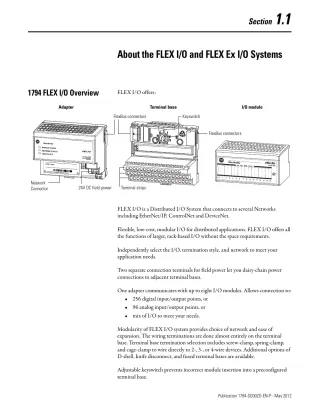
About the FLEX I/O and FLEX Ex I/O Systems
Spec sheet18 pagesPDF 1.0 MB
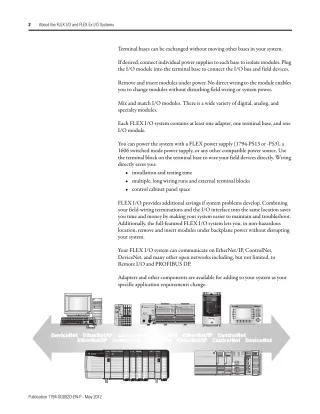
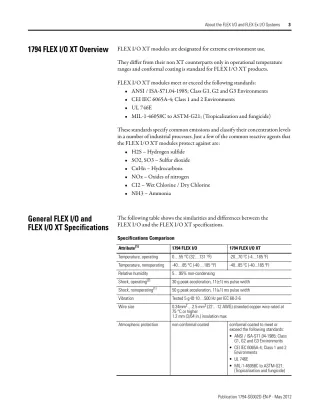
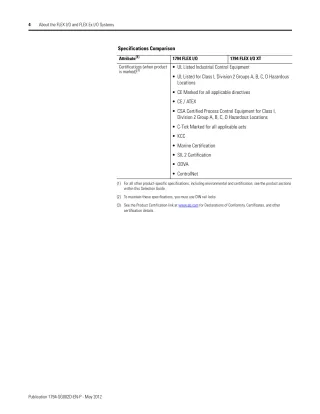
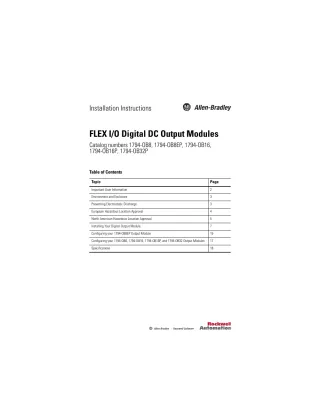
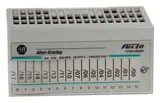
Pages from the Allen-Bradley 1794 FLEX I/O selection guide: adapters, digital modules such as the 1794-IB16, terminal bases and power supplies.
What this file really is
The old site listed this file as a spec sheet for the Allen-Bradley 1794-IB16, 1794-IH16 and 3 more models. Filed as a 1794-OE4 spec sheet, but it is a set of pages from the FLEX I/O selection guide that never mentions the 1794-OE4.
Names · 2 models
The models it names
 Allen-Bradley 1794-IB16I/O module from$125.0012 in stock Allen-Bradley 1794-IH16I/O module Call for availability
Filed with · 3 models
Also filed with these models on the old site
Summary
What is in it
Eighteen pages taken from the 1794 FLEX I/O selection guide. They give an overview of FLEX I/O and FLEX I/O XT distributed I/O, general and environmental specifications, the steps for specifying a system, the communication adapters for each network, a summary and comparison of digital AC and DC modules (including the 1794-IB16, 1794-IH16, 1794-OB16 and 1794-OB16P), terminal base units, and power supplies with sizing notes.
Its parts
- About the FLEX I/O and FLEX Ex I/O Systems
- Select FLEX I/O Communication Adapters
- Select FLEX I/O Modules
- Select a FLEX I/O Terminal Base Unit
- Select a FLEX I/O Power Supply
From the sheet · read page by page
Key facts from this sheet
Each line names its page in the PDF.
An 18-page excerpt from the Allen-Bradley FLEX I/O selection guide (publication 1794-SG002D-EN-P, May 2012), not a spec sheet for the 1794-OE4, which it never names. It gives the FLEX I/O system overview and general specifications, the communication adapters, a summary of digital I/O modules (listing the 1794-IB16, -IH16, -OB16 and -OB16P among others), a comparison of DC input modules, terminal bases and power supplies. Only the 1794-IB16 and 1794-IH16 get specification detail.
- What it is
- FLEX I/O module that plugs into a terminal base on a FLEX I/O adapter p. 8
- Operating temperature
- 0 to 55 C (32 to 131 F); XT versions -20 to 70 C p. 3
- Storage temperature
- -40 to 85 C (-40 to 185 F) p. 3
- Relative humidity
- 5 to 95% non-condensing p. 3
- Wire size
- 0.34 to 2.5 mm2 (22 to 12 AWG) stranded copper rated 75 C or higher p. 3
- Hot swap
- The manual states modules can be removed and inserted under backplane power, outside hazardous locations p. 2
- Adapter capacity
- Up to 8 modules per adapter: 256 digital or 96 analog points p. 1
- 1794-IB16
- 16 nonisolated 24V DC inputs; terminal base 1794-TB3, -TB3S, -TB3K or -TB3SK p. 10, 12
- 1794-IB16 input
- On-state 10V DC min, 24V DC nominal; 8 mA nominal at 24V DC, 12 mA max p. 12
- 1794-IB16 dissipation
- 6.1 W at 31.2V DC; 20.8 BTU/hr p. 13
- Module dimensions
- 46 x 94 x 53 mm; 94 x 94 x 69 mm installed (1794-IB16) p. 13
- 1794-IB16 isolation
- 50V continuous, field side to system; none between channels p. 13
- 1794-IH16
- 125V DC sinking inputs, 90V DC min and 146V DC max on-state; 250V continuous isolation p. 10, 12, 13
- Power supplies
- 1794-PS13: 1.3 A at 24V DC; 1794-PS3: 3 A at 24V DC p. 16
What this sheet walks you through
- Specifying a FLEX I/O system step by step p. 5
- Choosing a communication adapter for the network p. 7
- Choosing digital I/O modules and matching terminal bases p. 9, 10, 11
- Protected, electronically fused and diagnostic outputs explained p. 9
- Setting input filter times for AC input modules p. 11
- Comparing DC input modules p. 12, 13
- Choosing a terminal base unit p. 14, 15
- Choosing a power supply and sizing power p. 16, 17
Good to know
- The shock ratings hold only with DIN rail locks fitted. p. 4
- Protected (P) outputs recover automatically and send no fault status to the processor. p. 9
- Do not place a 1794-IB8 next to an output module in 8-point compact addressing with the 1794-ASB2/C or 1794-ASB/D. p. 13
- The 1794-TBN terminal base needs auxiliary terminal strips. p. 11
- The 1794-PS3 gives 3 A only when mounted horizontally; 2.8 A in other mountings. p. 16
Questions this sheet answers
What terminal base does the 1794-IB16 use?
The 1794-TB3, 1794-TB3S, 1794-TB3K or 1794-TB3SK. p. 12
How many FLEX I/O modules can one adapter handle?
Up to eight, for up to 256 digital or 96 analog points. p. 1
What input voltage is the 1794-IH16 for?
125V DC nominal. p. 10
Can FLEX I/O modules be changed with power on?
The manual states they can be removed and inserted under backplane power when the location is not hazardous. p. 2
How much current does the 1794-PS13 power supply give?
Up to 1.3 A at 24V DC. p. 16
Contents
Chapters and sections
Each line opens the PDF at its page.
- 1794-sg002D-en-p 91
- 1794-sg002D-en-p 102
- 1794-sg002D-en-p 113
- 1794-sg002D-en-p 124
- 1794-sg002D-en-p 135
- 1794-sg002D-en-p 156
- 1794-sg002D-en-p 167
- 1794-sg002D-en-p 238
- 1794-sg002D-en-p 249
- 1794-sg002D-en-p 2510
- 1794-sg002D-en-p 2611
- 1794-sg002D-en-p 3112
- 1794-sg002D-en-p 3213
- 1794-sg002D-en-p 7314
- 1794-sg002D-en-p 7415
- 1794-sg002D-en-p 7516
- 1794-sg002D-en-p 7617
- 1794-sg002D-en-p 7718
The whole text · 2 parts
Read the sheet here as text
Its text as extracted from the PDF, unedited, in parts; each page opens the PDF at that page.
The file