Manual · Atlas Copco
Power Focus Quick Guide
Manual48 pagesPDF 1.8 MB
Quick guide for Atlas Copco Power Focus 3000/3100 tightening controllers (Compact and Graph): installation, Psets and configuration.
Filed with · 2 models
Also filed with these models on the old site
Summary
What is in it
Atlas Copco's quick guide for the Power Focus control and monitoring system for electric tools, covering the Power Focus 3000/3100 Compact and Graph controllers and the ToolsTalk PF software. It gives an installation check list and procedure, the Compact display and keypad, the Graph front panel and display, connecting ToolsTalk by serial port or Ethernet, programming Psets, system, I/O and communication configuration, multistage, job, cell and synchronization programming, and monitoring, statistics, service and the event code list.
Its parts
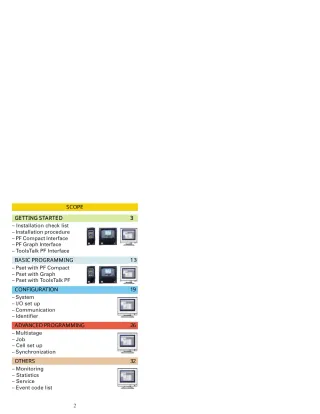
- Getting Started
- Basic Programming
- Configuration
- Advanced Programming
- Others
From the manual
Key facts from this manual
Each line names its page in the PDF.
This is the Atlas Copco Power Focus Quick Guide for the Power Focus 3000/3100 tightening controllers with the Compact or Graph front panel. It does not name the PF3007-C-HW or PF3007-G-HW. It walks through installation, connecting ToolsTalk PF, programming Psets, Jobs, Cells and synchronized spindles, and lists the event codes.
- Device type
- Controller for Atlas Copco electric tightening tools such as the Tensor S tool p. 3
- Hardware versions
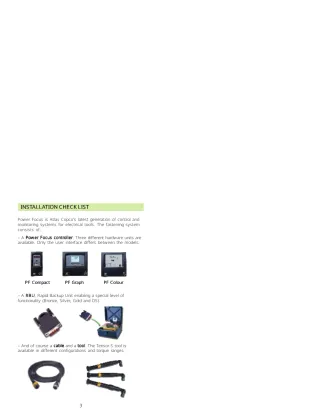
- PF Compact, PF Graph and PF Colour; only the user interface differs p. 3
- Mains power
- 115/230 V p. 4
- Connectors
- Printer, two RS232 serial ports, Ethernet, RBU, tool output, digital input, relays, I/O bus, remote start, main power p. 4
- Rapid Backup Unit
- RBU sets the functionality level: Bronze, Silver, Gold or DS p. 3
- Software
- ToolsTalk PF on a PC, over RS232 serial or Ethernet; serial default 9600 bit/s p. 9, 10
- Compact panel
- Lights for n x OK, OK, NOK, JOB OK, ALARM, PROG CONTROL, AUTO SET, STAT; keys +, -, Function, Auto Set, Question Mark, Enter p. 5, 6
- Graph panel
- LCD with a full keypad for complete programming p. 7
- Result memory
- Up to 5000 tightening results p. 32
- I/O bus devices
- Up to 15 external devices: socket selector (4 or 8 positions), RE-alarm, I/O Expander (8 inputs, 8 relays) p. 19, 20, 21
- Cells
- Silver and Gold: one Cell Master and up to 19 Cell Members over Ethernet p. 28
- Synchronization
- Gold RBU: synchronize 2 to 10 spindles over the I/O bus p. 30
- Event code groups
- E000 rundown, E100 event, E200 user input, E300 statistical, E400 communication, E500 tool, E600 DC3000/MC3000, E800 software p. 35
- Printer port
- Parallel port on the back of the controller p. 7
What this manual walks you through
- Installing the controller and connecting the tool, power and RBU p. 4
- Connecting ToolsTalk PF by serial cable p. 10
- Connecting ToolsTalk PF over Ethernet p. 11, 12
- Autoset and batch size programming on the PF Compact keypad p. 13
- Programming a Pset on the PF Graph p. 15, 16
- Programming a Pset in ToolsTalk PF p. 17, 18
- Setting up a socket selector on the I/O bus p. 20
- Selecting Jobs or Psets from a barcode p. 24, 25
- Programming Multistages and Jobs p. 26, 27
- Setting up a Cell and synchronized spindles p. 28, 29, 30, 31
Good to know
- The equipment must be earth grounded and unplugged from the mains before it is opened. p. 1
- Turn the power off whenever a tool is replaced. p. 4
- Do not use the product near water. p. 1
- The I/O bus must be terminated when selectors or synchronized units are connected. p. 20, 30
- A Job using Auto Select needs Forced job selected. p. 27
Questions this manual answers
What does Power Focus event code E131 mean?
Tool Disconnected: the tool is not connected to the controller or the tool cable is damaged. p. 37
What does Power Focus error E601 mean?
Dcbus LO at start of rundown: the DC voltage is too low. p. 45
What baud rate does ToolsTalk PF use by default?
9600 bit/s. ToolsTalk and the Power Focus must use the same baud rate. p. 10
How many tightening results does Power Focus store?
Up to 5000, which ToolsTalk can retrieve with Get All Results and save to a text file. p. 32
What does Power Focus error E465 FieldBus Dip switch Error mean?
The address switch on the fieldbus module is not set to allow software setting; set the switches correctly, then turn on the power. p. 43
The whole text · 5 parts
Read the manual here as text
Its text as extracted from the PDF, unedited, in parts; each page opens the PDF at that page.
The file