Manual · Koyo
DL405 Remote Master/Remote Slave D4-RM, D4-RS, and D4-RSDC
Manual60 pagesPDF 1.4 MB
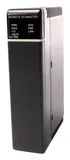
Manual for the DirectLOGIC DL405 remote I/O system: the D4-RM remote master and the D4-RS and D4-RSDC remote slaves.
Covers · 2 models
The models it covers
Summary
What is in it
PLCDirect's manual for DL405 remote I/O, built from the D4-RM remote master in the CPU base and D4-RS (AC) or D4-RSDC (DC) remote slaves in remote bases. It explains what remote I/O is, module features and specifications, designing a system with worksheets and a power budget, setting the rotary and DIP switches, wiring the twisted-pair link, termination resistors and the run output relay, and writing the setup program in DirectSOFT. Appendices give a blank worksheet, reserved memory tables and I/O update times.
Its parts
- Getting Started
- Designing a Remote I/O System
- Installation & Field Wiring Guidelines
- Writing the Setup Program
From the manual
Key facts from this manual
Each line names its page in the PDF.
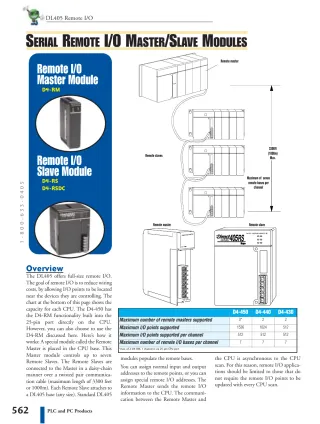
The user manual for DL405 remote I/O: the D4-RM remote master and the D4-RS and D4-RSDC remote slaves. It covers designing a remote I/O system, setting the switches, wiring and termination, writing the ladder setup program that maps remote points, and the special relays that report communication errors.
- Module type
- Intelligent remote I/O master; links up to 7 remote slaves (D4-RS or D4-RSDC) p. 10, 12
- Masters per CPU
- 2 max. for DL430 or DL440 p. 12
- Remote points per CPU
- 512 p. 12
- Baud rates
- 19.2 kB or 38.4 kB, switch selectable; asynchronous, half-duplex p. 12
- Cabling
- RS-485 twisted pair, Belden 9271 or equivalent p. 12
- Max distance
- 3300 ft. (1000 meters) p. 12
- Installation
- Any slot in the CPU base, not the CPU slot p. 12, 33
- Internal power
- 300 mA maximum p. 12
- Run output relay
- 250 VAC at 1A, 30 VDC at 1A; closed while a communications link is present p. 12
- Environment
- Operating 0 to 60 C, storage -20 to 70 C, 5 to 95% humidity non-condensing p. 12
- DIP switch
- Position 1 ON for master; position 2 ON for 38.4 kBaud, OFF for 19.2 kBaud; 3 and 4 OFF p. 31
- Termination
- Built-in 330 ohm resistor, or an external 100 to 500 ohm resistor across terminals 1 and 2 p. 35
- Status LEDs
- PWR, RUN, DIAG, PAR, LINK, I/O and MSTR p. 12
- Remote slaves
- D4-RS takes AC power; D4-RSDC takes DC power p. 10
What this manual walks you through
- Setting the rear DIP switches for master or slave and baud rate p. 31, 32
- Inserting the master and slave modules in their bases p. 33
- Connecting power to the D4-RS or D4-RSDC p. 34
- Cabling the master to its slaves and choosing termination resistors p. 35
- Assigning remote input and output addresses with setup logic p. 14
- How the CPU and remote master update remote I/O points p. 15
- Using the special relays to find and handle communication errors p. 44, 45, 46
Good to know
- The remote scan runs apart from the CPU scan, so points that must be read every scan belong in local or expansion bases. p. 15
- Master and slaves must be set to the same baud rate. p. 11
- Connect the cable shield to terminal 3, never to the Ground terminal. p. 35
- If the C671 or C675 flag is OFF when an error occurs, all current remote I/O is set to zero. p. 45
- Disconnect system power before installing or removing any system component. p. 33
Questions this manual answers
How do I set the D4-RM DIP switches?
Position 1 ON makes it a master, position 2 ON selects 38.4 kBaud (OFF for 19.2 kBaud), and positions 3 and 4 stay OFF. p. 31
What cable connects the D4-RM to the remote slaves?
RS-485 twisted pair, Belden 9271 or equivalent, with the two wires on terminals 1 and 2 and the shield on terminal 3. p. 12, 35
What does the LINK light on the D4-RM mean?
It turns on when there is a communications error. p. 12
How can a program tell which remote base is not communicating?
Relays C700 to C707 (first master) and C720 to C727 (second master) are set on a communications error; the last digit gives the base unit. p. 45
Which DL405 CPUs work with the D4-RM?
The DL430 and DL440, with up to 2 masters and 512 remote I/O points per CPU. p. 12
The whole text · 6 parts
Read the manual here as text
Its text as extracted from the PDF, unedited, in parts; each page opens the PDF at that page.
The file