Manual · Siemens
SIMATIC NET Industrial Ethernet switches SCALANCE XB-000 Operating Instructions
Manual72 pagesPDF 2.5 MB
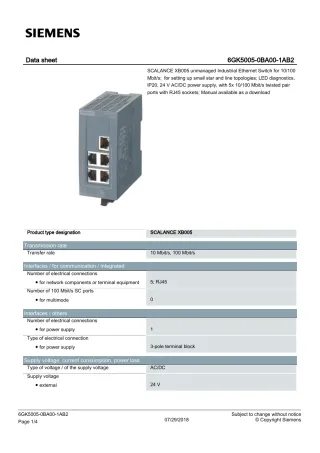
Operating instructions for Siemens SCALANCE XB-000 unmanaged Industrial Ethernet switches, including the 5-port XB005.
Covers · 1 model
The models it covers
Summary
What is in it
The Siemens operating instructions for the SCALANCE XB-000 line of Industrial Ethernet switches: XB004-1, XB004-1LD, XB005, XB008 and their Gigabit G versions. It describes star network topologies, each device's ports, twisted pair pin assignment, fiber optic ports and LEDs, how to mount the switch on a standard rail or a wall, how to connect power, ground and twisted pair cable, troubleshooting, and full technical specifications, approvals and dimension drawings for each model.
Its parts
- Introduction
- Network topologies
- Description of the device
- Mounting
- Connecting up
- Maintenance and troubleshooting
- Technical specifications
- Approvals
- Dimension drawings
From the manual
Key facts from this manual
Each line names its page in the PDF.
Siemens SIMATIC NET operating instructions (07/2014) for the SCALANCE XB-000 line of Industrial Ethernet switches: XB004-1, XB004-1LD, XB005, XB008, XB004-1G, XB004-1LDG, XB005G and XB008G. They cover the ports, LEDs, DIN rail and wall mounting, power and cable connection, troubleshooting, technical specifications for each model and approvals. A reader can use them to install, connect and troubleshoot an XB005.
- Type
- XB005: Industrial Ethernet switch with five RJ-45 jacks, 10/100 Mbps, half or full duplex; plug-and-play, no settings needed p. 16, 23, 49
- Order number
- XB005: 6GK5 005-0BA00-1AB2 p. 5, 49
- Power supply
- XB005: 24 VDC rated, 19.2 to 28.8 VDC (SELV); typically 100 mA and 2.30 W p. 49
- Power terminals
- 3-terminal plug-in block: pin 1 functional ground, pin 2 M (chassis ground), pin 3 L+ (24 VDC) p. 37
- Port pinout
- XB-000 (Fast Ethernet) models, MDI-X: pin 1 RD+, pin 2 RD-, pin 3 TD+, pin 6 TD-; pins 4, 5, 7, 8 not connected p. 22
- Port functions
- Autonegotiation, auto polarity exchange and MDI/MDI-X autocrossover p. 23
- Port insulation
- XB005: port groups P1 and P4, P2 and P5, P3; 1.5 kV between groups (IEEE802.3 Environment B) p. 24
- Cable length
- XB005: up to 100 m of IE FC TP Standard Cable with IE FC RJ45 Plug 180; TP cords up to 10 m p. 22, 49
- Switching
- XB005: 2048 learnable MAC addresses, 280 s aging time, 2 QoS priority queues; blocks LLDP frames, forwards spanning tree BPDUs p. 50
- Ambient
- XB005: -10 to +60 ℃ operating; -40 to +80 ℃ storage and transport; ≤ 95 % humidity, no condensation p. 49
- Dimensions
- XB005: 45 x 100 x 87 mm (W x H x D), 165 g, polycarbonate housing, IP20 p. 50
- Input fuse
- XB005: PTC resettable fuse (0.6 A / 60 V) p. 49
- TP cords
- IE TP Cord RJ-45/RJ-45, CAT 6: 0.5 m 6XV1870-3QE50, 1 m 6XV1870-3QH10, 2 m 6XV1870-3QH20, 6 m 6XV1870-3QH60, 10 m 6XV1870-3QN10 p. 8
- Field connectors
- IE FC RJ-45 Plug 180 2x2: 6GK1901-1BB10-2AA0 (1), 6GK1901-1BB10-2AB0 (10), 6GK1901-1BB10-2AE0 (50); IE FC Stripping Tool 6GK1901-1GA00 p. 8, 9
What this manual walks you through
- Comparing the XB-000 models and their port options p. 13
- TP port pin assignment and autocrossover p. 22, 23
- Reading the power and port LEDs p. 29
- Mounting on and removing from a 35 mm DIN rail p. 32, 33
- Mounting the switch on a wall p. 34
- Connecting the power supply and functional ground p. 37, 38
- Plugging in the IE FC RJ45 Plug 180 p. 39
- Troubleshooting a tripped fuse or low supply voltage p. 41
- Cables and connectors with order numbers p. 8, 9
- Approvals listed for the product line p. 63, 64, 65
Good to know
- Do not run the switch on AC voltage or above 32 VDC; the supply must meet NEC Class 2. p. 37
- XB-000 switches do not support redundancy, so they cannot be used in a redundant ring. p. 7
- Connecting two ports of the switch together, or a loop over several switches, can overload the network. p. 23
- Above 50 °C to 60 °C ambient the housing may pass 70 °C, so access must be restricted. p. 31
- Repairs on site are not possible; a defective device goes to a Siemens service center. p. 41
Questions this manual answers
Does the SCALANCE XB005 need to be configured?
No. The XB-000 switches are plug-and-play devices that need no settings during commissioning. p. 23
Why are all LEDs off on my SCALANCE XB005?
The resettable fuse may have tripped: disconnect power for about 30 minutes. A supply under 19.2 V also turns all LEDs off. p. 41
What do the port LEDs on the SCALANCE XB005 mean?
Lit green means a link with no data reception; flashing green means a link with data reception. p. 29
Can the SCALANCE XB005 run on 24 V AC?
These operating instructions say not to operate the device with an AC voltage; it takes 24 VDC. p. 37
What comes in the box with a SCALANCE XB005?
The switch, a 3-pin terminal block for the power supply and product information. p. 7
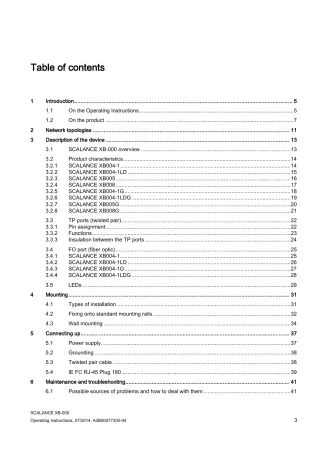
Contents
Chapters and sections
Each line opens the PDF at its page.
The whole text · 11 parts
Read the manual here as text
Its text as extracted from the PDF, unedited, in parts; each page opens the PDF at that page.
The file