Spec sheet · Square D
POWERLINK AS Lighting Control System Catalog
Spec sheet49 pagesPDF 2.7 MB
Catalog for the Square D POWERLINK AS lighting control system, with remotely operated breakers, panelboards and AS42C control modules.
Covers · 2 models
The models it covers
Summary
What is in it
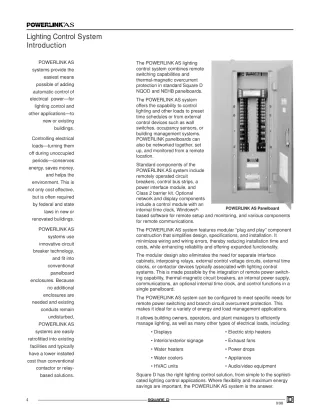
Square D catalog for the POWERLINK AS lighting control system, which combines remote switching and thermal-magnetic overcurrent protection in standard NQOD and NEHB panelboards. It describes the soft split, low voltage switching and time clock systems, the QO(B)-AS and EHB-AS remotely operated circuit breakers, control bus strips, power interface module, Class 2 barrier kit, control modules including the AS42C-T and AS42CM-T, panelboard ratings and dimensions, accessories, RS-485 and LonWorks network options, software, codes and suggested specifications.
Its parts
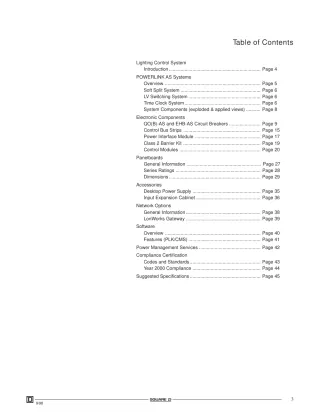
- Lighting Control System
- POWERLINK AS Systems
- Electronic Components
- Panelboards
- Accessories
- Network Options
- Software
- Power Management Services
- Compliance Certification
- Suggested Specifications
From the sheet
Key facts from this sheet
Some pages are scans or cannot be read; this says only what the readable text supports. Each line names its page in the PDF.
Square D catalog (dated 9/98) for the POWERLINK AS lighting control system, which adds remotely switched circuit breakers and control to standard NQOD and NEHB panelboards. It covers the system types and components, among them the standard control modules AS42C and AS42C-T and the graphical display modules AS42CM and AS42CM-T, with their specifications, programming methods and accessories.
- Device
- Standard control module (AS42C and AS42C-T) for POWERLINK AS lighting control panelboards p. 19, 25
- Display and keys
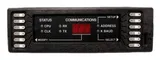
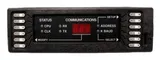
- Standard module: LED display, status and communication indicators, selection keys, reset button p. 25
- Ports
- DB-9 to the power interface module (or a desktop power supply); one RS-232 port to an IBM-compatible PC p. 19
- Memory
- EEPROM for configuration; super capacitor backs up time clock and status for 30 days p. 19
- Environment
- -5°C to +40°C operating, -20°C to +85°C storage, 5% to 95% humidity (non-condensating) p. 19
- Programming
- PLK-101 or CMS 1000 software, through the RS-232 port and an AS42CM-SC cable, or over the network p. 25
- Accessories
- Desktop power supply AS42CM-DPK; RS-232 download cable AS42CM-SC p. 25, 34
- Events
- Up to 256 programmed events, by time of day or by an input change p. 21
- Operating modes
- Run, Manual and Hold p. 22
- Without a module
- After more than one minute: All On, All Off, No Change, or Run Inputs (the system default) p. 24
- Inputs
- 16 inputs on the power interface module, expandable to 64; 2-wire maintained, 3-wire momentary or 2-wire momentary; no external control voltage p. 17
- Input wiring
- #22-18 AWG Cu, Class 2; up to 3000 feet with #18 AWG, 1000 feet with #22 AWG p. 17
- Network port
- One RS-485 (Belden 8723) on ASP(N) power interface modules p. 17
- Power interface modules
- NQOD242ASP(N) and NEHB242ASP(N): 208 to 240Vac; NEHB342ASP(N): 380Y/220Vac; NEHB442ASP(N): 480Y/277Vac p. 17
What this sheet walks you through
- Choosing a soft-split, low voltage matrix switching or time clock system p. 5
- Programming a control module at a desk with the desktop power supply p. 34
- Programming the standard control module from a PC or over the network p. 25
- Using overrides and the Run, Manual and Hold modes p. 21, 22
- How conflicting commands are ranked by priority p. 23
- Setting global values: blink notice, sequence time and default action p. 23, 24
- Reading circuit breaker status on the screen p. 24
- Power interface module wiring and diagnostics LED p. 17
- Year 2000 compliance of firmware and software p. 43
Good to know
- An access code times out after five minutes without a key press and must be entered again. p. 22
- The switching mode selector switch on each breaker overrules overrides from the control module. p. 22
- Setup must be finished before any programming can be done. p. 23
- Name tags for breakers and zones appear only when entered with a PC and PLK-101 or CMS-1000. p. 23
- The year is stored in two digits; any year below 95 is taken as after 2000. p. 43
Questions this sheet answers
What is the difference between the AS42C and the AS42CM?
The AS42C and AS42C-T are the standard control modules with an LED display and indicators; the AS42CM and AS42CM-T are graphical display modules with an LCD screen. p. 19, 21, 25
How is an AS42C control module programmed from a PC?
Connect the PC to its RS-232 port with the AS42CM-SC cable and download from PLK-101 or CMS 1000; at a desk it is powered by the AS42CM-DPK supply. It can also be programmed over the network. p. 25
What happens if the POWERLINK control module is removed?
After more than one minute the panel takes its default action: All On, All Off, No Change, or Run Inputs, which is the system default. p. 24
How long does the control module keep the clock?
A super capacitor backs up the time clock and status for 30 days; the configuration is kept in EEPROM. p. 19
Is the AS42C-T Year 2000 compliant?
The catalog lists the AS42C-T with v4.50 firmware as compliant. p. 43
Contents
Chapters and sections
Each line opens the PDF at its page.
The whole text · 5 parts
Read the sheet here as text
Its text as extracted from the PDF, unedited, in parts; each page opens the PDF at that page.
The file