Manual · Foxboro
870ITPH Intelligent Electrochemical Transmitter for pH, ORP, and Ion Selective Electrode Measurements
Manual62 pagesPDF 605 KB
Instruction manual for the Foxboro 870ITPH intelligent transmitter for pH, ORP and ion selective electrode measurements.
Covers · 1 model
The models it covers
Summary
What is in it
Foxboro instruction manual for the 870ITPH Intelligent Electrochemical Transmitter, which converts pH, ORP or ion selective electrode measurements to a 4 to 20 mA and/or digital output. It covers the analog 870ITPH-A and digital 870ITPH-F versions, with a quick start, specifications and hazardous area approvals, installation and wiring, operation from the front panel (measure, diagnostics, status, configuration, hold and calibration), maintenance, structure diagrams and a configuration table with factory defaults.
Its parts
- Introduction
- Installation
- Operation
- Maintenance
From the manual
Key facts from this manual
Each line names its page in the PDF.
A Foxboro instruction manual (MI 611-211, October 2005) for the 870ITPH intelligent electrochemical transmitter for pH, ORP and ion selective electrode measurements, in both the analog 870ITPH-A and digital 870ITPH-F versions. It covers specifications, mounting and wiring, the front panel keys, error messages and diagnostics, status, configuration, calibration and maintenance.
- Device
- 2-wire transmitter that converts pH, ORP or ion selective electrode measurements to a 4 to 20 mA and/or digital output p. 7
- Versions
- 870ITPH-A: one 4 to 20 mA dc output, set up at the front panel; 870ITPH-F: digital only or hybrid 4 to 20 mA/digital, also via a PC-based configurator or I/A Series workstation p. 7
- Power supply
- 12.5 to 42 V dc for the 4 to 20 mA output; load 0 to 1450 ohms p. 10
- Compatible sensors
- Glass or antimony pH, ISE or noble metal ORP sensors, including PH10, ORP10, 871A, 871PH, EP459A, EP460, EP462 and EP466 p. 10
- Sensor distance
- Up to 152 m (500 ft) with a preamplified sensor; 15.2 m (50 ft) with a non-preamplified driven-shield sensor p. 10
- Temperature inputs
- 100 ohm or 1000 ohm platinum RTD (2- and 3-wire), Balco 3000 ohm RTD p. 10
- Ambient temperature
- -25 to +55 C p. 10
- Humidity
- 0 to 95% noncondensing p. 10
- Display and keys
- Primary and secondary display with 20-segment bargraph; CAL, CONFIG, HOLD, MEASURE, STATUS, DIAG, ENTER and arrow keys p. 17, 18
- Probe diagnostics
- Glass, Lowslope, Coat, Leakage, Preamp, Aging, ATC Short and ATC Open p. 18
- Configuration errors
- CAL REQ, 4 - 20 RNG, MEAS RNG and COMP RNG p. 22
- Mounting
- Panel, surface, or DN50 or 2-in pipe p. 13, 14
- Enclosure rating
- The manual states NEMA 4X, CSA Enclosure 4X or IEC IP65, kept only with sealed ports and suitable conduit and fittings p. 15
- Replacement parts
- Keypad, core PWA and sensor PWA; part numbers in PL 611-156 (Style A) or PL 611-153 (Style B) p. 41
What this manual walks you through
- Mounting the transmitter on a panel, surface or pipe p. 13, 14
- Wiring power and Foxboro or non-Foxboro sensors to the terminals p. 14, 15, 16
- Checking the factory calibration with a solution of known value p. 8
- Using the front panel keys and modes p. 17, 18
- Reading the error messages on the display p. 18
- Using Diagnostics mode to find the error and the corrective action p. 21, 22
- Viewing status parameters such as slope, glass resistance and last calibration p. 22
- Maintenance by replacing the keypad or printed wiring assemblies p. 41
Good to know
- 871A-2, 871PH-1 and 871PH-2 sensors work with the transmitter but do not give full sensor diagnostics. p. 10
- An output load under 250 ohms works only when no PC-based configurator is connected. p. 11
- Replace components only with identical factory supplied components. p. 41
- Use grounded metal conduit on the sensor cable and input power leads to reduce RFI/EMI. p. 15
- When no temperature device is wired, short terminals 1, 2 and 2A. p. 16
Questions this manual answers
What does PROBE ER mean on a Foxboro 870ITPH?
One of the probe errors occurred in Measure mode: Glass, Lowslope, Coat, Leakage, Preamp, Aging, ATC Short or ATC Open. Diagnostics mode shows which one. p. 18
What should I do about a COAT error?
The reference junction resistance is above the set limit: clean the electrode, and check that the solution ground and reference junction are immersed. p. 21
What supply voltage does the 870ITPH need?
12.5 to 42 V dc for the 4 to 20 mA output, with a load of 0 to 1450 ohms. p. 10
How far can the pH sensor be from the 870ITPH?
Up to 152 m (500 ft) with a preamplified sensor, or 15.2 m (50 ft) with a non-preamplified driven-shield sensor. p. 10
What does CAL ERROR mean?
A limit condition was exceeded during an attempted calibration. p. 18
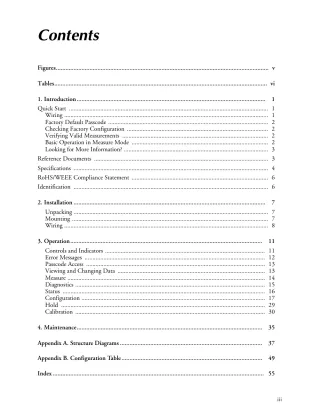
Contents
Chapters and sections
Each line opens the PDF at its page.
The whole text · 8 parts
Read the manual here as text
Its text as extracted from the PDF, unedited, in parts; each page opens the PDF at that page.
The file