Manual · Mitsubishi
type A0J2 (CPU) User's Manual
Manual46 pagesPDF 1.6 MB
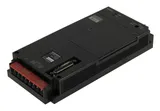
User's manual for the Mitsubishi MELSEC-A A0J2CPU and A0J2CPU-DC24 programmable controller CPU units: specs, setup, upkeep.
Names · 1 model
The models it names
Filed with · 1 model
Also filed with these models on the old site
Summary
What is in it
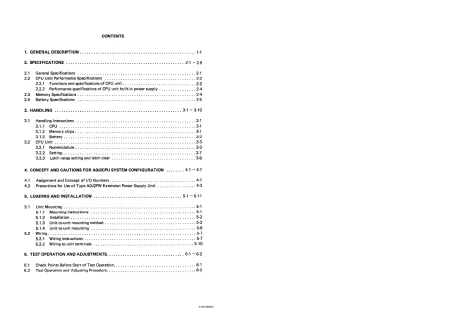
The Mitsubishi user's manual (CPU unit edition) for the MELSEC-A series A0J2CPU and A0J2CPU-DC24 general-purpose programmable controllers. It gives the general, CPU performance, built-in power supply, memory and battery specifications, handling of the CPU, memory chips and battery, switch settings and latch range, I/O number assignment and the A0J2PW extension power supply, mounting and wiring, test operation, and daily and periodic maintenance with battery replacement. The I/O units are covered in a separate I/O unit manual.
Its parts
- General Description
- Specifications
- Handling
- Concept and Cautions for A0J2CPU System Configuration
- Loading and Installation
- Test Operation and Adjustments
- Maintenance and Inspection
From the manual
Key facts from this manual
Some pages are scans or cannot be read; this says only what the readable text supports. Each line names its page in the PDF.
This is the Mitsubishi type A0J2 (CPU) User's Manual for the MELSEC-A A0J2CPU programmable controller, covering both the AC version (A0J2) and the 24V DC version (A0J2CPU-DC24). It gives the specifications, memory and battery setup, power wiring, test operation, and the daily, periodic and battery maintenance steps.
- Device
- MELSEC-A general-purpose programmable controller CPU, in an AC version (A0J2) and a 24V DC version (A0J2-DC24) p. 2, 5
- Input power
- A0J2: 100V/200V AC; A0J2-DC24: 24V DC (allowable lower limit 15.6V DC) p. 5, 8
- I/O points
- 28 to 336 points, up to 480 with an extension base unit p. 5, 7
- Program memory
- Max. 7K steps; 4KEROM, 4K RAM or 4KROM give 3K steps, 16KRAM or 8KROM give 7K steps; 4K RAM supplied with the unit p. 5, 7, 9
- Built-in supply output
- A0J2: 5V DC 2A and 24V DC 0.5A; A0J2-DC24: 5V DC 2A, no 24V DC output p. 23
- Operating temperature
- 0 to 55°C; humidity 10 to 90%RH, non-condensing p. 6, 42
- Backup battery
- 3.6V DC lithium battery, 16 (0.63) diameter x 30 (1.18) mm (inch); backs up IC-RAM memory and power failure compensation p. 8, 10
- Low battery signal
- Special relay M9006 turns on; programs and latched data are kept within 168 hours p. 43
- Processing speed
- 4.4 to 5.6 microseconds per step (sequence instructions) p. 7
- Devices
- 2048 internal relays (M/L), 1024 link relays (B), 128 timers, 128 counters, 512 data registers (16 bits) p. 7
- Programming units
- Programs are written with the A6GPP or A7PU peripheral p. 40, 42
- Watchdog timer
- 200ms fixed p. 8
- Weight
- 0.75 kg p. 8
- Thickness
- 41mm (1.61 inch) with the wall mounting method (thin type) p. 5
What this manual walks you through
- Installing a memory chip and setting the pin connector for its type p. 17
- Setting the memory protect switch p. 18
- Connecting the battery before first use p. 18
- Clearing the latch memory with the RUN key switch p. 20
- Starting and stopping operation with the RUN/STOP switch p. 14
- Sizing an extension power supply from the units' current consumption p. 23
- Wiring the power source, with transformers for voltage variation and noise p. 34
- Checking the system and running the first test operation p. 39, 40
- Daily and periodic inspection p. 41, 42
- Replacing the backup battery p. 43
Good to know
- Installing or removing a memory chip with the power on damages the chip. p. 12
- Removing an IC-RAM chip from its socket loses the memory data. p. 12
- Change the battery within five minutes, or memory contents may be lost. p. 43
- Never short-circuit, disassemble, burn, heat or solder the battery. p. 12
- After M9006 turns on, program and latched data are kept only within 168 hours. p. 43
Questions this manual answers
What battery does the A0J2CPU use?
A 3.6V DC lithium battery, 16 mm diameter by 30 mm, that backs up IC-RAM memory and the power failure compensation function. p. 8, 10
How do I know the A0J2CPU battery is low?
Special relay M9006 turns on when the battery voltage drops below the set level; data is kept within 168 hours, so replace the battery soon. p. 43
How many I/O points does the A0J2CPU support?
28 to 336 points, or up to 480 points with an extension base unit. p. 5
How do I clear the latch memory on the A0J2CPU?
Move the RUN key switch from STOP to L.CLR three times, so the RUN LED flickers, then once more to complete the latch clear. p. 20
What supply voltage does the A0J2CPU need?
The A0J2 takes 100V/200V AC and the A0J2-DC24 takes 24V DC. p. 5
Contents
Chapters and sections
Each line opens the PDF at its page.
The whole text · 7 parts
Read the manual here as text
Its text as extracted from the PDF, unedited, in parts; each page opens the PDF at that page.
The file