Manual · Optimation
Optimation OptiLogic Driver Help
Manual119 pagesPDF 1.2 MB
Help for the Kepware OPC driver that connects Optimation OptiLogic OL4054 and OL4058 RTUs, I/O modules and operator panels over Ethernet.
What this file really is
The old site listed this file as a manual for the Optimation OL4054 and OL4058. Linked as the OL4054 manual, it is the help file for Kepware's OPC driver for OptiLogic devices, which supports the OL4054 and OL4058 RTUs but is not the RTU's own manual.
Filed under · 2 models
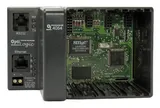
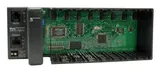
Filed under these models in the old catalog
Summary
What is in it
Help for the Optimation OptiLogic Driver, a Kepware driver that links Optimation OptiLogic remote terminal units, I/O modules and operator panels to OPC client applications such as HMI and SCADA. It explains device setup for the OL4054 and OL4058 RTUs over Ethernet, device IDs, cable diagrams, optimizing communications, data types, address descriptions and bit mapping for each digital, analog, counter, RS232 and operator panel module, and the driver's error messages.
Its parts
- Overview
- Device Setup
- Optimizing Your Optimation OptiLogic Communications
- Data Types Description
- Address Descriptions
- Error Descriptions
From the manual
Key facts from this manual
Each line names its page in the PDF.
Kepware help file for the Optimation OptiLogic Driver, software that links OptiLogic remote terminal units, I/O modules and operator panels to OPC client applications over Ethernet. It is not a hardware manual: it names the OL4054 and OL4058 RTUs and explains device setup, tag addressing for each module and the driver's error messages.
- Document
- Kepware driver help for connecting OptiLogic RTUs to OPC client software p. 1, 5
- Network
- Ethernet, using Winsock V1.1 or higher p. 6
- Device ID
- RTU IP address plus OptiLogic node number 0 to 99 p. 6
- I/O slots
- OL4054: 4 slots; OL4058: 8 slots p. 6
- Supported modules
- OL2208, OL2211, OL2201, OL2108, OL2109, OL2111, OL2408, OL2418, OL2252, OL3406, OL3420, OL3440, OL3850 p. 6
- Operator panels
- One operator panel per RTU p. 6
- Base serial port
- RS232 on the Ethernet base, RJ45 connector, 300 to 19200 baud, default 300, n, 8, 1 p. 38, 39
- OL2602 serial modules
- OL4054: up to two, in slot 0 or 1; OL4058: one, in slot 0 p. 43
- Serial buffers
- 48-byte transmit and receive buffers in the driver p. 38
- RTU error codes
- 0 no error, 1 improper message length, 2 improper module command, 3 module not present p. 104
- Channels
- Up to 100 channels in the driver p. 8
- Data types
- Boolean, Byte, Char, Word, Short, DWord, Long, Float, Double, String p. 9
- Software version
- Help version 1.012, 2012 Kepware Technologies p. 1, 5
What this manual walks you through
- Setting the device ID from the RTU IP address and node number p. 6
- Wiring straight-through and crossover Ethernet cables p. 7
- Speeding up data collection with multiple channels p. 8
- Addressing data in each module type p. 10
- Configuring and addressing the base RS232 port p. 38, 39
- Fixing a device that is not responding p. 105
- Resolving Winsock and memory errors in the driver p. 104
Good to know
- Each device on a channel needs its own IP address and node ID. p. 6
- Tag addresses cannot be fully checked until the driver has talked to the device. p. 10
- If the serial receive buffer overflows, the first 48 bytes are lost. p. 39
- Float writes need a precision bit number added to the address. p. 6
Questions this manual answers
How do I set the node ID on an OptiLogic OL4054?
With the address switches under the base unit cover. The IP address is set with the OptiLogic Update Tool software. p. 6
How many slots does the OL4058 have?
The OL4058 has 8 slots; the OL4054 has 4. p. 6
What does OptiLogic error code 3 mean?
Module not present. p. 104
Why is my OptiLogic device not responding?
The help lists a broken Ethernet link, a wrong IP address, an address the device lacks, or a reply slower than the Request Timeout. It suggests checking each and raising the timeout. p. 105
What baud rates does the OptiLogic base RS232 port support?
300, 1200, 2400, 4800, 9600 and 19200 baud, with 7 or 8 data bits. p. 39
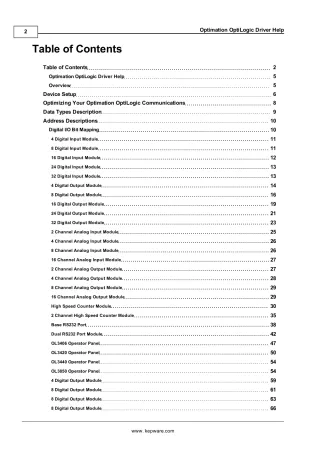
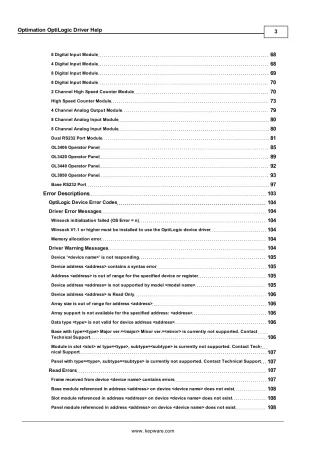
Contents
Chapters and sections
Each line opens the PDF at its page.
The whole text · 14 parts
Read the manual here as text
Its text as extracted from the PDF, unedited, in parts; each page opens the PDF at that page.
The file