Manual · Andover Controls
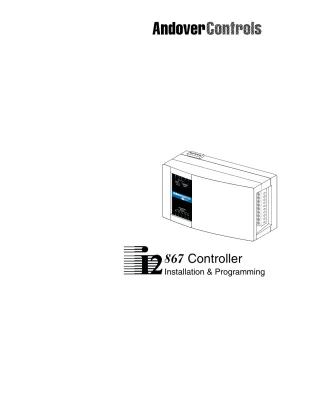
i2867 Controller Installation & Programming Guide
Manual52 pagesPDF 552 KB
Installation and programming guide for the Andover Controls Infinity i2867 terminal control unit: mounting, power, Infinet, inputs and outputs.
Covers · 1 model
The models it covers
Summary
What is in it
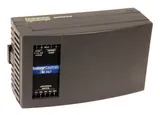
Andover Controls installation and programming guide for the i2867, a compact Infinity terminal control unit for DDC control of package units, VAV boxes, unit ventilators and other terminal applications. It covers module characteristics, upgrading from the TCX 867, panel mounting and dimensions, 24 VAC power, battery and grounding, the Infinet network connection, universal input wiring for temperature, voltage, contacts and pulses, Form A triac, tri-state and analog outputs, the Smart Sensor interface, programming and I/O point assignments, power-up checks and troubleshooting.
Its parts
- Introduction
- i2867 Module Characteristics
- Mechanical Installation
- Power Connection
- Infinet Network Connection
- Input Connections
- Output Connections
- Programming
- Troubleshooting
From the manual
Key facts from this manual
Each line names its page in the PDF.
This is the Andover Controls installation and programming guide for the i2867 terminal controller (Version B, February 2002), an Infinet II DDC controller for package units, VAV boxes and unit ventilators. It covers mounting, 24 VAC power, battery, Infinet and I/O wiring, the Smart Sensor, configuration with CyberStation or SX8000, and troubleshooting, with notes for replacing a TCX 867.
- Device
- Infinet II terminal controller giving DDC control of package units, VAV boxes, unit ventilators and other terminal units p. 7, 34
- I/O
- 4 universal inputs, 1 temperature input/Smart Sensor bus interface, 5 Form A Triac outputs, 2 analog outputs (0-10V) p. 8
- Power
- External 24 VAC +10% -15%, 50 or 60 Hz, from its own independent un-switched circuit p. 14
- Battery
- CR 1225, 48 mAhr 3.0 V lithium coin cell; five years of accumulated power failures, shelf life at least ten years p. 12, 13
- Fuse
- Socketed plug-in 2 Amp power fuse inside the housing p. 47
- Network
- Infinet, up to 254 i2867 controllers per network controller; cable of two wires and a shield p. 7, 17
- Infinet wiring
- Power/Communications connector: pin 1 Infinet +, pin 2 Infinet -, pin 3 shield p. 17
- Input connector
- Removable five-connection screw terminal plug: IN1 to IN4 and a common RET p. 18
- Input types
- IN1 to IN4: thermistor temperature, DC voltage, digital or counter (up to 4 Hz, 125 ms minimum high and low); all five inputs can be digital p. 21, 24, 25, 26
- Pull-up switch
- Per-input pull-up resistor switch: enabled for temperature, contacts and counters; disabled for voltage p. 21, 24, 25, 26
- Triac outputs
- Five Form A solid-state outputs, AC only, at least 30 ma holding current, RC snubber on each output; adjacent pairs can form a tri-state output p. 29, 30
- Analog outputs
- Two ground-referenced 0-10VDC outputs, maximum 5mA (2,000 ohms minimum load) p. 31
- Output connector
- Sixteen-position removable screw terminal on the right side, also carrying the Smart Sensor bus (RET, IN5, SPWR) p. 27, 32
- CPU indicator
- Flashes five times per second in normal operation; two times per second means a failed internal test; not blinking means the unit is not operating p. 46, 47
What this manual walks you through
- Panel mounting with the locking extensions p. 9, 10
- Activating and replacing the backup battery p. 12, 13
- Wiring 24 VAC power and the earth ground p. 14, 15, 16
- Wiring the Infinet network cable p. 17
- Wiring inputs and maximum thermistor wire runs by gauge p. 18, 19, 21, 22, 23
- Combining two Form A outputs as a tri-state output p. 30
- Connecting a Smart Sensor p. 32
- Configuring the controller from a Continuum or Infinity workstation p. 33, 34
- I/O point assignments and electrical types p. 45
- Pre-operation checks, power-up and troubleshooting p. 46, 47, 48
Good to know
- Unless all controllers are in the same cabinet, use a separate transformer for each one. p. 15
- Do not externally ground any input; signal return terminals are not earth ground. p. 19
- With an SX8000 workstation, OUT1 and OUT2 must be configured as a tri-state output. p. 27
- Lightning arresters are required where Infinet cables enter or exit a building; the guide recommends Andover Controls # 01-2100-299. p. 16
- Never apply a voltage to a thermistor. p. 21
Questions this manual answers
What battery does the Andover i2867 use?
A CR 1225, 48 mAhr 3.0 V lithium coin cell. Remove the insulating shipping tab to activate it. p. 13
What does it mean when the i2867 CPU light flashes twice a second?
The CPU has failed an internal test. Recheck the connections; normal operation is five flashes per second. p. 46
The i2867 CPU light is not blinking. What should I check?
Check that 24 VAC is present at the power terminals. If power is fine, open the housing and check the plug-in fuse; replace a blown one with a similar 2 Amp fuse. p. 47
Can several i2867 controllers share one 24 VAC transformer?
Only if they are all in the same cabinet; otherwise each controller needs its own transformer. p. 15
Can the i2867 Triac outputs switch DC?
No. A Triac switches AC only, and the load must draw at least 30 ma. p. 29
Contents
Chapters and sections
Each line opens the PDF at its page.
- Cover1
- Introduction7
- i2867 Module Characteristics8
- If You Are Upgrading From the TCX 8678
- Controller Limitations Using SX8000 Based Systems8
- Mechanical Installation9
- Power Connection12
- Infinet Network Connection17
- Input Connections18
- Measuring Temperature (IN1 - IN4)21
- Measuring DC Voltages (IN1 - IN4)24
- Sensing Contact Closures (Digital) IN1 – IN525
- Counting Pulsing Signals or Contact Closures26
- Output Connections27
- Analog Voltage Output31
- Smart Sensor Bus Interface (IN5 & SPWR)32
- Operation/Programming33
- Pre-Operation Checks46
- Initial Power-Up46
- Troubleshooting47
The whole text · 9 parts
Read the manual here as text
Its text as extracted from the PDF, unedited, in parts; each page opens the PDF at that page.
The file