Manual · Allen-Bradley
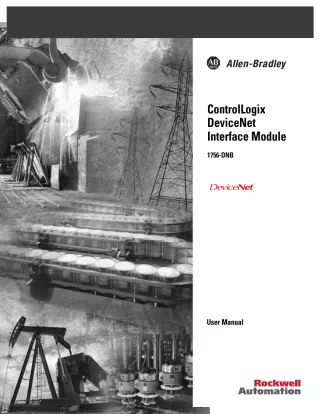
ControlLogix DeviceNet Interface Module 1756-DNB User Manual
Manual96 pagesPDF 1.7 MB
User manual for the Allen-Bradley 1756-DNB ControlLogix DeviceNet interface module, built around an example application.
Covers · 1 model
The models it covers
Summary
What is in it
The user manual for the Allen-Bradley 1756-DNB ControlLogix DeviceNet interface module. It walks through a small example application with a Logix5550 controller, a RediSTATION and a photoeye: planning the configuration and data mapping, hardware setup, configuring the DeviceNet network and scanlist with RSLinx and RSNetWorx, configuring DeviceNet from ControlNet, Ethernet or DH+ networks, writing the ladder program, and troubleshooting with the status indicators.
Its parts
- Preface: About This User Manual
- Before You Begin
- Planning Your Configuration and Data Mapping Your Devices
- Hardware Setup
- Configuring the DeviceNet Network
- Configuring DeviceNet From Another Network
- The Example Application Program
- Troubleshooting
- 1756-DNB Status Structure
From the manual
Key facts from this manual
Each line names its page in the PDF.
Allen-Bradley user manual (publication 1756-6.5.19, May 2000) for the 1756-DNB ControlLogix DeviceNet interface module. It walks through an example system: installing the module, configuring its scanlist with RSNetWorx for DeviceNet, and reaching DeviceNet from ControlNet, Ethernet or DH+. It also explains the numeric display codes, the three status LEDs and the status structure the controller reads.
- Module type
- Interface between DeviceNet devices and a Logix5550 controller in a ControlLogix chassis; also bridges DeviceNet to another network p. 16, 17
- Network connector
- DeviceNet port with 10-position linear plug 1787-PLUGIOR p. 33
- Baud rates
- 125, 250 or 500, shown on the display at power-up p. 81
- Node address
- MAC ID 00 to 63 p. 81
- Message types
- Strobe, poll, change of state and cyclic; poll data 0-255 bytes, strobe responses up to 8 bytes p. 18
- Display codes
- Numeric codes 70 to 97, such as 70 duplicate node address, 72 slave stopped communicating, 91 bus off, 92 no network power p. 82, 83
- Status LEDs
- MOD/NET, IO and OK, each bi-color green/red, plus an alphanumeric display p. 81, 84, 85, 86
- Configuration software
- RSNetWorx for DeviceNet, through a 1770-KFD module or PC card 1784-PCID, -PCIDS or -PCMCIA p. 20, 31
- Bridge modules
- ControlNet 1756-CNB, Data Highway Plus 1756-DHRIO, Ethernet 1756-ENET, in any open chassis slot p. 33
- Firmware
- Variable-size status structure needs 1756-DNB version 3.002 or higher and RSLogix 5000 version 2.25 or higher p. 88
- Status structure sizes
- 10, 11, 16, 24 or 32 DINTs (32 is the default) p. 89
- Example system parts
- Logix5550 controller 1756-L1; DeviceNet Quad-Tap 1492-DN3TW; RS-232 cable 1787-RSCABL/A; DeviceNet cables 1787-PCABL, -TCABL, -MCABL p. 7
- Document
- Allen-Bradley publication 1756-6.5.19, May 2000 p. 7
What this manual walks you through
- Setting up an example DeviceNet system step by step p. 7
- Understanding the scanner configuration table and the scanlist table p. 19, 20
- Installing the 1770-KFD, the controller and the 1756-DNB in the chassis p. 31, 32, 33
- Finding the RSNetWorx for DeviceNet screens and automapping devices p. 21
- Configuring the module remotely from ControlNet, Ethernet or Data Highway Plus p. 17, 20
- Reading the power-up display: firmware revision, baud rate and MAC ID p. 81
- Looking up the numeric display codes and their fixes p. 82, 83
- Interpreting the MOD/NET, IO and OK status LEDs p. 84, 85, 86
- Reading the module status structure in the controller tags p. 87, 88, 89
Good to know
- You cannot go online to the Logix5550 controller over DeviceNet; downloads go through the controller's RS-232 port or another network. p. 33
- The module is open equipment and must be mounted in an enclosure during operation. p. 3
- Do not disconnect the module during a flash update (code 95), or data in its memory is lost. p. 83
- All DeviceNet data moves in whole bytes, so a device with two input bits still sends one byte. p. 18
Questions this manual answers
What does code 92 mean on a 1756-DNB display?
No network power is detected on the comm port. Provide network power and make sure the drop cable supplies it to the module. p. 83
What does code 70 mean on the 1756-DNB?
A duplicate node address: the address is already in use on the network, so change the module to another free address. p. 82
What software configures the 1756-DNB scanlist?
RSNetWorx for DeviceNet, connected over DeviceNet through a 1770-KFD module or a 1784-PCID, -PCIDS or -PCMCIA card. p. 20, 31
Can I download a Logix5550 program through the 1756-DNB?
No. The manual says you cannot go online to the controller over DeviceNet; use its RS-232 port or a ControlNet, Ethernet or DH+ module. p. 33
What baud rates does the 1756-DNB show?
125, 250 or 500, displayed after the firmware revision at power-up, followed by the MAC ID (00 to 63). p. 81
Contents
Chapters and sections
Each line opens the PDF at its page.
- 1756-6.5.19, ControlLogix DeviceNet Interface Module User Manual2
- Important User Information2
- European Communities (EC) Directive Compliance3
- Preface - About This User Manual5
- 1 - Before You Begin15
- 2 - Planning Your Configuration and Data Mapping Your Devices23
- 3 - Hardware Setup31
- What This Chapter Contains31
- Installing the 1770-KFD Communication Module31
- Installing the Logix5550 Controller32
- Installing the 1756-DNB Interface Module32
- Installing a ControlNet, Ethernet, or DH+ Interface Module33
- Installing the RediSTATION Operator Interface35
- Installing the Series 9000 Photoeye36
- How Your Example System Will Look37
- What’s Next?37
- 4 - Configuring the DeviceNet Network39
The whole text · 12 parts
Read the manual here as text
Its text as extracted from the PDF, unedited, in parts; each page opens the PDF at that page.
- Pages 1 to 41-4
- Preface - About This User Manual5-12
- Pages 13 to 2213-22
- 2 - Planning Your Configuration and Data Mapping Your Devices23-30
- 3 - Hardware Setup31-38
- 4 - Configuring the DeviceNet Network, pages 39 to 4739-47
- 4 - Configuring the DeviceNet Network, pages 48 to 5648-56
- 5 - Configuring DeviceNet From Another Network57-66
- 6 - The Example Application Program67-80
- 7 - Troubleshooting81-86
- A - 1756-DNB Status Structure87-90
- Index91-96
The file