Manual · AutomationDirect
Terminator I/O DeviceNet Base Controller User Manual (T1K-DEVNETS)
Manual63 pagesPDF 4.8 MB
User manual for the AutomationDirect T1K-DEVNETS DeviceNet base controller for Terminator I/O: install, wire, configure.
Covers · 1 model
The models it covers
Summary
What is in it
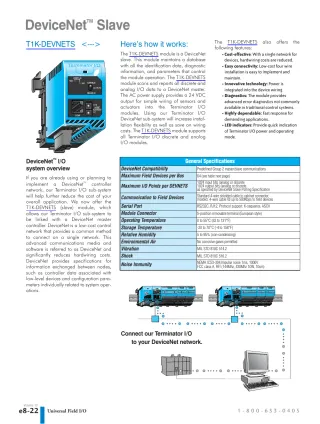
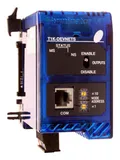
AutomationDirect user manual for the T1K-DEVNETS DeviceNet Base Controller, a slave module that controls Terminator I/O on a DeviceNet network. It introduces DeviceNet and the Terminator I/O system, then covers DIN rail mounting, power, node address and DIP switch settings, network and RS-232 wiring, status indicators, the I/O memory map, specifications, data and diagnostic tables, image table mapping, and setup with Think & Do and with RSNetWorx, RSLinx and RSLogix.
Its parts
- Chapter 1: Getting Started
- Chapter 2: Installing the T1K-DEVNETS Base Controller
From the manual
Key facts from this manual
Each line names its page in the PDF.
This is the AutomationDirect user manual for the T1K-DEVNETS, the Terminator I/O DeviceNet Base Controller. It explains how to mount, address, wire and configure the controller as a slave on a DeviceNet network. Appendices give specifications, register tables and diagnostic codes.
- What it is
- Slave module that controls Terminator I/O modules on a DeviceNet network p. 12
- DeviceNet messaging
- Slave, predefined Master/Slave Group 2 server; polled I/O only p. 10, 25
- Node address
- 0 to 63, set with rotary switches p. 25
- Baud rates
- 125, 250 or 500 kbps by DIP switches SW1 and SW2; factory default 125 kbps p. 17
- Bus length
- 500 m max at 125 kbps, 250 m at 250 kbps, 100 m at 500 kbps p. 10
- DeviceNet power
- 11 to 25 VDC, 45 mA max p. 25
- Internal power
- 190 mA at 5 VDC p. 26
- I/O capacity
- 1 to 16 I/O module slots; up to 1024 input and 1024 output points p. 26
- I/O module types
- Discrete input, discrete output, analog input and analog output; hot swappable p. 26
- Serial port
- RS-232C, 6-pin RJ12 jack, K-Sequence slave, 9600 bps or 19.2 kbps p. 26
- Firmware cable
- D2-DSCBL connects the serial port to a PC for firmware updates p. 19
- Network cable
- Belden 3085A, YR-29832 or equivalent; 121 Ohm 1%, 1/4 W terminating resistor (2 included) p. 19
- Operating temperature
- 32° F to 131° F (0° C to 55° C); 5% to 95% humidity, non-condensing p. 25
- Weight
- 6.0 oz (170 g) p. 25
What this manual walks you through
- Mounting the controller on DIN rail and attaching it to the power supply p. 14
- Setting the node address with the X10 and X1 switches p. 15
- Setting the DIP switches for baud rate, analog format, diagnostics, output hold and maintenance port p. 17, 18
- Wiring the controller to the DeviceNet network p. 19
- Configuring the controller in the DeviceNet master software (EDS file, scan list, I/O bytes, mapping) p. 20
- Reading the module and network status indicators p. 21
- Input and output register tables p. 28, 29, 30, 31
- Decoding the I/O diagnostic bytes and error slot codes p. 32, 33
- Setup with Think & Do and with RSNetWorx (appendices D and E) p. 6
Good to know
- Power to the T1K power supply must be disconnected before installing or removing the controller. p. 14
- With DIP switch SW4 off (the default), two extra bytes are needed on input and on output for diagnostics. p. 18
- Each end of the DeviceNet trunk needs a terminating resistor. p. 19
- The 24V DeviceNet power supply must be grounded at one point only. p. 10
- Do not force the controller onto the DIN rail; unlatch the locking tab first if needed. p. 14
Questions this manual answers
What baud rate is the T1K-DEVNETS set to from the factory?
125 kbps. DIP switches SW1 and SW2 select 125, 250 or 500 kbps. p. 17
What cable is used to update the T1K-DEVNETS firmware?
Cable part number D2-DSCBL connects its RS-232 serial port to a PC. p. 19
What does a solid red NS light mean on the T1K-DEVNETS?
A critical controller fault, such as a duplicate ID or bus off. p. 21
How many I/O modules can one T1K-DEVNETS control?
1 to 16 slots of I/O modules, up to 1024 input and 1024 output points. p. 26
Does the T1K-DEVNETS support strobed or change of state messaging?
No. It supports polled I/O messaging only. p. 10
The whole text · 7 parts
Read the manual here as text
Its text as extracted from the PDF, unedited, in parts; each page opens the PDF at that page.
The file