Manual · Sharp
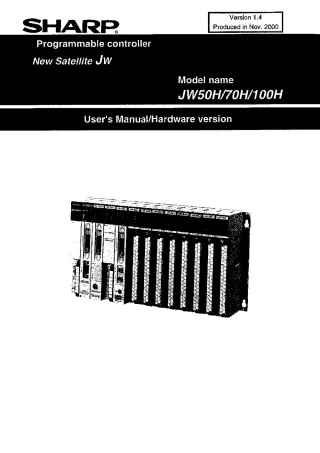
Programmable controller New Satellite JW, Model name JW50H/70H/100H, User's Manual/Hardware version
Manual254 pagesPDF 8.7 MB
Hardware user's manual for the Sharp New Satellite JW50H/70H/100H PLCs and their JW and ZW series modules, such as the ZW-1PU and ZW-32S2T.
What this file really is
The old site listed this file as “Programming Manual” for the Sharp ZW-1PU, ZW-32IO2 and ZW-32S2T. The old site linked it as a programming manual, but it is the JW50H/70H/100H hardware user's manual, which refers readers to a separate programming manual.
Names · 2 models
The models it names
Filed with · 1 model
Also filed with these models on the old site
Summary
What is in it
Sharp's hardware user's manual for the New Satellite JW50H/70H/100H programmable controllers (it also covers JW50/70/100 systems). It explains system design and general specifications, each module (control, memory, rack panels, JW and ZW series I/O modules, power supply and expansion modules, communication port), installation, wiring, ROM and battery-free operation, program transfer, trial run, the hand-held programmer, and maintenance and inspection, with appendix specifications for the JW and ZW series I/O modules.
Its parts
- Overview
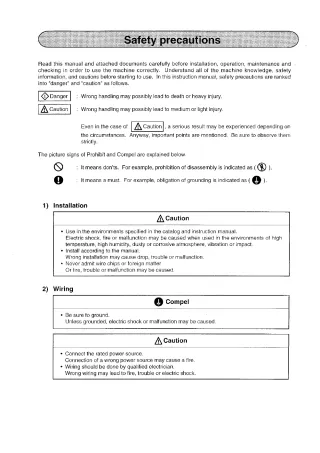
- Safety precautions
- System design and general specifications
- Name and function of each part
- Installation
- Wiring
- ROM operation
- Program transfer
- Trial run
- Support tool operation
- Maintenance and inspection
From the manual
Key facts from this manual
Some pages are scans or cannot be read; this says only what the readable text supports. Each line names its page in the PDF.
This is the Sharp New Satellite JW50H/70H/100H programmable controller User's Manual, hardware version (Version 1.4, November 2000), not a programming manual. It covers system configuration, general specifications, each module's parts, installation, wiring, ROM operation, maintenance and troubleshooting, with specification pages for the JW and ZW series I/O modules, including the ZW-32S2T and ZW-32IO2 (printed as ZW-32102 in the scan's text). The ZW-1PU power supply appears only in drawings and notes.
- What it is
- Hardware user's manual for the Sharp New Satellite JW50H/70H/100H PLC: configuration, specifications, installation p. 1, 2
- Manual version
- Version 1.4, November 2000 p. 1
- Temperature
- Operating 0 to 55 C; storage -20 to 70 C p. 27
- Humidity
- 35 to 90% RH, non-condensing p. 27
- Vibration and shock
- JIS C 0911 vibration; JIS C 0912 shock (10G, 3 times in each axis) p. 27
- Grounding
- Class-3 grounding p. 27
- ZW-32S2T outputs
- 32 DC outputs, 5/12/24 VDC, 0.5 A per point, 5 A per common, 1 common per 16 points, 38-pin detachable terminal block, about 800 g p. 243
- ZW-32S2T fuses
- One 5 A alarm fuse per common (type HP-50, Daito); an LED lights when a fuse fails p. 243
- ZW-32IO2 I/O
- 16 DC inputs and 16 DC outputs; outputs 50 mA per point at 5 VDC, 100 mA at 12/24 VDC; 40-pin solder connector p. 248
- ZW-32IO2 voltage
- 4.75 to 5.25 VDC or 10.8 to 26.4 VDC, chosen with an internal switch p. 248
- Timers and counters
- 1024 timers and counters and 157 application instructions, about 50% faster than the JW50/70/100 p. 10
- Expansion distance
- An expansion rack panel can sit up to 50 m from the PC rack panel p. 10
- JW-1PU power supply
- 100 to 120 or 200 to 240 VAC in; 5.1 VDC, 0 to 7 A out; 55 W max; triac halt output p. 99
- ZW-32S2T external supply
- 4.5 to 30 VDC, 160 mA max p. 243
What this manual walks you through
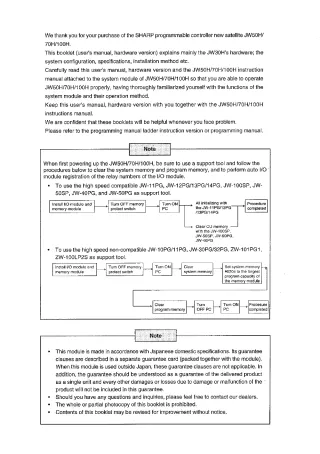
- Clearing memory and registering I/O modules on first power-up p. 2
- Combining ZW-series I/O modules in expansion rack panels p. 32
- Parts and specifications of the JW-1PU power supply module p. 98, 99
- Switching the ZW-100PU1/100PU2 expansion supply to 200 VAC p. 111
- Wiring the expansion power supply and its halt output p. 161
- Replacing the backup battery p. 195
- Troubleshooting from the RUN and FAULT LEDs with check flows p. 199
- Memory, ROM and I/O table error codes and their fixes p. 200
Good to know
- Feeding 200 VAC to an expansion supply still set to 100 VAC damages it permanently. p. 111
- The JW-1PU power supply fits only a basic rack panel, not an expansion rack panel. p. 99
- The module is made to Japanese domestic specifications. p. 2
- The battery must never be shorted, recharged, taken apart, heated or burned. p. 195
- On the ZW-32S2T, a surge current above 1 A may be limited by the output devices. p. 243
Questions this manual answers
What load current can the Sharp ZW-32S2T output module switch?
0.5 A per point and 5 A per common, at a rated 5/12/24 VDC, on 32 outputs. p. 243
How many inputs and outputs does the Sharp ZW-32IO2 have?
16 DC inputs and 16 DC outputs, each group on its own common, rated 5/12/24 VDC. p. 248
What temperature range does the Sharp JW50H/70H/100H work in?
0 to 55 C in operation, with 35 to 90% RH non-condensing; storage is -20 to 70 C. p. 27
How is the JW50H/70H/100H backup battery replaced?
With the control module still powered, open the battery lid, unplug the old battery's harness from the CPU board and plug in the new one within five minutes. p. 195
Contents
Chapters and sections
Each line opens the PDF at its page.
- Safety precautions3
- Chapter1. Overview10
- Chapter2. Safety precautions11
- Chapter3. System design and general specifications13
- Chapter4. Name and function of each part29
- 4-1 Combination of each module29
- 4-2 Control module36
- 4-3 Memory module48
- 4-4 Rack panel53
- 4-5 Input/output modules67
- 4-6 Power supply module (JW-1PU: Approved UL/CSA)98
- 4-7 JW-2PU power supply module104
- 4-8 ZW-100PU1/100PU2 expansion supply module108
- 4-9 JW-1EA/2EA I/O bus expansion adapter112
- 4-10 ZW-10EU I/O expansion module121
- 4-11 Communication port131
- Chapter5. Installation136
- 5-1 Precautions in installation136
- 5-2 Installation procedures137
- 5-3 Mounting rack panels inside a cabinet138
- 5-4 Installation of power supply module140
- 5-5 Installation of memory module141
- 5-6 Installing the control module146
- 5-7 Installation of I/O modules147
- 5-8 Installing the side panel on an I/O module149
- 5-9 Installing the expansion power supply module (for ZW-I/Os)150
- Chapter6. Wiring151
- 6-1 Precaution for wiring151
- 6-2 Wiring for JW-1PU power supply module159
- 6-3 Wiring for JW-2PU power supply module160
- 6-4 Wiring for ZW-100PU1/100PU2 expansion power supply module161
- 6-5 Wiring for expansion rack panel162
- 6-6 Wiring for input and output modules164
- 6-7 Wiring for 24 VDC terminal block on rack panel (for ZW-8S2/16S2/16S4)166
The whole text · 30 parts
Read the manual here as text
Its text as extracted from the PDF, unedited, in parts; each page opens the PDF at that page.
- Safety precautions1-5
- Table of contents6-9
- Pages 10 to 1210-12
- Chapter3. System design and general specifications, pages 13 to 2013-20
- Chapter3. System design and general specifications, pages 21 to 2821-28
- Chapter4. Name and function of each part, pages 29 to 3829-38
- Chapter4. Name and function of each part, pages 39 to 4839-48
- Chapter4. Name and function of each part, pages 49 to 5849-58
- Chapter4. Name and function of each part, pages 59 to 6859-68
- Chapter4. Name and function of each part, pages 69 to 7869-78
- Chapter4. Name and function of each part, pages 79 to 8879-88
- Chapter4. Name and function of each part, pages 89 to 9889-98
- Chapter4. Name and function of each part, pages 99 to 10899-108
- Chapter4. Name and function of each part, pages 109 to 118109-118
- Chapter4. Name and function of each part, pages 119 to 128119-128
- Chapter4. Name and function of each part, pages 129 to 135129-135
- Chapter5. Installation136-150
- Chapter6. Wiring, pages 151 to 160151-160
- Chapter6. Wiring, pages 161 to 170161-170
- Chapter7. ROM operation171-181
- Chapter8. Program transfer182-184
- Chapter9. Trial run185-187
- Chapter10. Support tool operation188-191
- Chapter11. Maintenance and inspection, pages 192 to 201192-201
- Chapter11. Maintenance and inspection, pages 202 to 210202-210
- Chapter12. Appendix, pages 211 to 219211-219
- Chapter12. Appendix, pages 220 to 228220-228
- Chapter12. Appendix, pages 229 to 237229-237
- Chapter12. Appendix, pages 238 to 246238-246
- Chapter12. Appendix, pages 247 to 254247-254
The file