Manual · Allen-Bradley
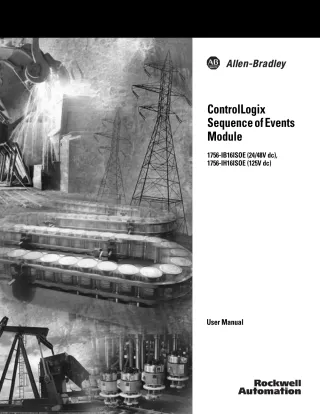
ControlLogix Sequence of Events Module 1756-IB16ISOE (24/48V dc), 1756-IH16ISOE (125V dc) User Manual
Manual160 pagesPDF 2.3 MB
User manual for the Allen-Bradley ControlLogix 1756-IB16ISOE and 1756-IH16ISOE Sequence of Events input modules.
What this file really is
The old site listed this file as a manual for the Allen-Bradley 1756-IB16. Linked as the 1756-IB16 manual, but it is the user manual for the 1756-IB16ISOE and 1756-IH16ISOE Sequence of Events modules and does not name the 1756-IB16.
Filed with · 1 model
Also filed with these models on the old site
Summary
What is in it
Rockwell Automation's user manual for the ControlLogix Sequence of Events modules, the 1756-IB16ISOE (24/48V dc) and 1756-IH16ISOE (125V dc). It explains what the modules do and how they work in local and remote chassis, then covers installation and wiring, configuration in RSLogix 5000, module features, the CST Per Point and FIFO timestamp modes, and troubleshooting with status indicators. Appendices give specifications and block diagrams, GPS module integration, chassis time synchronization and module tags.
Its parts
- What is the ControlLogix Sequence of Events Module?
- How Does the Sequence of Events Module Operate in a ControlLogix System?
- Installing the Sequence of Events Module
- Configuring the Sequence of Events Module
- Using the Sequence of Events Module Features
- Using The Sequence of Events Module in CST Per Point Mode
- Using The Sequence of Events Module in FIFO Mode
- Troubleshooting the Sequence of Events Module
From the manual
Key facts from this manual
Each line names its page in the PDF.
Allen-Bradley user manual for the ControlLogix Sequence of Events modules 1756-IB16ISOE (24/48V dc) and 1756-IH16ISOE (125V dc), DC input modules that timestamp each input change. It covers installing, wiring, configuring in RSLogix 5000, the two data modes, troubleshooting and specifications. It describes these two modules, not the plain 1756-IB16 input module.
- What it is
- ControlLogix DC input module with sub-millisecond timestamping per point p. 11
- Models
- 1756-IB16ISOE: 16-point, 24/48V dc; 1756-IH16ISOE: 16-point, 125V dc p. 1, 3
- Inputs
- 16, individually isolated p. 111, 115
- Timestamp accuracy
- 100µs p. 111, 115
- Data modes
- CST Per Point (2 transitions per input) or FIFO (buffer of up to 160 transitions) p. 13
- Backplane current
- 1756-IB16ISOE: 295mA at 5.1V dc and 2mA at 24V dc; 1756-IH16ISOE: 275mA at 5.1V dc and 2mA at 24V dc p. 111, 115
- IH16ISOE input range
- 1756-IH16ISOE: on-state 90-140V dc, nominal 125V dc p. 115
- RPI
- User selectable, 250µs minimum to 750ms maximum p. 111, 115
- Terminal block
- 36-position RTB 1756-TBCH or TBS6H; extended housing 1756-TBE for maximum wire size p. 111, 113
- Wire size
- #22 to #14 AWG (0.324 to 2.08 sq. mm) stranded p. 112
- Operating temperature
- 0 to 60°C (32 to 140°F) p. 112
- Storage temperature
- -40 to 85°C (-40 to 185°F) p. 112
- Jumper bar
- Part number 97739201 p. 32
- Software
- Configured in RSLogix 5000 p. 13
What this manual walks you through
- How CST timestamping works on the backplane p. 11, 12
- Choosing between CST Per Point and FIFO modes p. 13
- Physical features, RTB and keying p. 14
- Reading module identification and status p. 15
- Installing the module and RTB p. 27
- Wiring isolated and non-isolated inputs p. 32
- Troubleshooting with the OK and I/O status LEDs p. 107, 108
- Troubleshooting faults in RSLogix 5000 p. 108
Good to know
- Removing or inserting the RTB with field-side power on can cause unintended machine motion or loss of process control. p. 27
- An RTB or interface module is not included with the module. p. 14
- Do not connect more than 2 wires to any single terminal. p. 32
- Open-style module with no enclosure rating. p. 113
Questions this manual answers
What does a flashing green OK light mean on a 1756-IB16ISOE?
The module passed its internal diagnostics but is not multicasting inputs; configure it with RSLogix 5000. p. 108
How many input transitions can the Sequence of Events module buffer?
In FIFO mode it stores up to 160 input transitions at one time in its on-board buffers. p. 13
What terminal block does the 1756-IH16ISOE use?
A 36-position RTB, 1756-TBCH or TBS6H; maximum wire size needs the 1756-TBE extended housing. p. 115, 117
What does a steady red OK light mean?
An unrecoverable error has occurred on the module; the manual says to replace it. p. 108
Contents
Chapters and sections
Each line opens the PDF at its page.
- 1756-UM528A-EN-P, ControlLogix Sequence of Events Module User Manual1
- Important User Information2
- Preface3
- 1 - What is the ControlLogix Sequence of Events Module?11
- 2 - How Does the Sequence of Events Module Operate in a ControlLogix System?17
- What This Chapter Contains17
- Differences Between Sequence of Events Module and Standard Digital I/O17
- Similar Functionality to Standard ControlLogix DC Input Modules18
- Propagating a Signal From Field Device to Backplane20
- Sequence of Events Module in a Local Chassis22
- Sequence of Events Module in a Remote Chassis24
- Chapter Summary and What’s Next26
- 3 - Installing the Sequence of Events Module27
- What This Chapter Contains27
- Installing the Sequence of Events Module27
- Keying the Removable Terminal Block29
- Connecting Wiring30
- Wiring the Sequence of Events Module32
- Assembling The Removable Terminal Block and the Housing33
- Choosing the Extended-Depth Housing34
- Installing the Removable Terminal Block36
- Removing the Removable Terminal Block38
- Removing the Module from the Chassis39
- Chapter Summary and What’s Next40
- 4 - Configuring the Sequence of Events Module41
64 more lines, from page 42 on
- Overview of the Configuration Process42
- 5 - Using the Sequence of Events Module Features53
- 6 - Using The Sequence of Events Module in CST Per Point Mode73
- What This Chapter Contains73
- Overview of the Mode73
- How Does the Module Store Timestamp Data in CST Per Point Mode?74
- What Are The Typical Applications Where CST Per Point Mode is Used?76
- Configuring the Module for CST Per Point Mode76
- Managing the Data in CST Per Point Mode80
- Sorting the Data86
- Clearing All Data From the Module’s Buffers At Once86
- Chapter Summary and What’s Next86
- 7 - Using The Sequence of Events Module in FIFO Mode87
- What This Chapter Contains87
- Overview of the Mode87
- How Does the On-Board Buffer Work in FIFO Mode?88
- What the Typical Applications Where FIFO Mode is Used?90
- Configuring the Module for FIFO Mode90
- Managing the Data in FIFO Mode96
- Clearing All Data From the Module’s Buffers At Once106
- Changing Between Retrieval Methods106
- Chapter Summary and What’s Next106
- 8 - Troubleshooting the Sequence of Events Module107
- A - Specifications and Module Block Diagrams111
- B - Integrating The HiProm GPS Module (1756HP-GPS) into a ControlLogix Sequence of Events Module System119
- C - Synchronizing CSTs Across Multiple Chassis129
- D - Using Module Tags135
- E - Using Sample RSLogix 5000 Projects with the Sequence of Events Module147
- Glossary149
- Index153
- How Are We Doing?157
- Back Cover160
The whole text · 19 parts
Read the manual here as text
Its text as extracted from the PDF, unedited, in parts; each page opens the PDF at that page.
- Pages 1 to 61-6
- Table of Contents7-10
- 1 - What is the ControlLogix Sequence of Events Module?11-16
- 2 - How Does the Sequence of Events Module Operate in a ControlLogix System?17-26
- 3 - Installing the Sequence of Events Module27-40
- 4 - Configuring the Sequence of Events Module41-52
- 5 - Using the Sequence of Events Module Features, pages 53 to 6253-62
- 5 - Using the Sequence of Events Module Features, pages 63 to 7263-72
- 6 - Using The Sequence of Events Module in CST Per Point Mode73-86
- 7 - Using The Sequence of Events Module in FIFO Mode, pages 87 to 9687-96
- 7 - Using The Sequence of Events Module in FIFO Mode, pages 97 to 10697-106
- 8 - Troubleshooting the Sequence of Events Module107-110
- A - Specifications and Module Block Diagrams111-118
- B - Integrating The HiProm GPS Module (1756HP-GPS) into a ControlLogix Sequence of Events Module System119-128
- C - Synchronizing CSTs Across Multiple Chassis129-134
- D - Using Module Tags135-146
- Pages 147 to 152147-152
- Index153-156
- Pages 157 to 160157-160
The file