Manual · Allen-Bradley
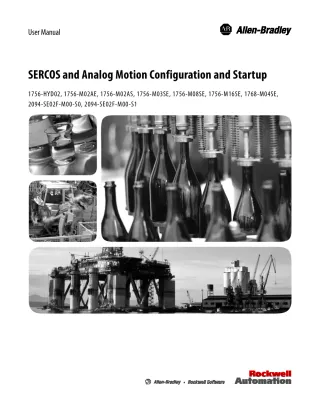
SERCOS and Analog Motion Configuration and Startup User Manual
Manual297 pagesPDF 13 MB
User manual for configuring and starting up SERCOS and analog motion with Logix controllers and the 1756-M16SE and related motion modules.
Covers · 1 model
The models it covers
Summary
What is in it
Rockwell Automation user manual for setting up SERCOS and analog motion control in the Logix Designer application. It covers the 1756-HYD02, 1756-M02AE, 1756-M02AS, 1756-M03SE, 1756-M08SE, 1756-M16SE and 1768-M04SE motion modules and Kinetix 6200 control modules. Chapters walk through configuring SERCOS and analog motion, commissioning and tuning axes, programming motion, and homing, with appendices on axis properties, axis attributes, wiring diagrams and servo loop block diagrams.
Its parts
- Preface
- Configure SERCOS motion
- Configure analog motion
- Commission and tune
- Program
- Home an axis
From the manual
Key facts from this manual
Each line names its page in the PDF.
Rockwell Automation user manual for configuring and starting up SERCOS and analog motion control in the Studio 5000 Logix Designer application. It covers the motion modules 1756-HYD02, 1756-M02AE, 1756-M02AS, 1756-M03SE, 1756-M08SE, 1756-M16SE and 1768-M04SE and the Kinetix 6200 control modules 2094-SE02F-M00-S0 and 2094-SE02F-M00-S1. It walks through adding modules and axes, setting ring timing, commissioning, tuning and homing; it is a software setup guide rather than a hardware installation manual.
- Device
- SERCOS interface module (1756-M03SE, 1756-M08SE, 1756-M16SE, 1768-M04SE) linking the controller to SERCOS interface drives p. 12
- Network
- SERCOS (IEC 61491) over a fiber optic network that carries all wiring between drives and module p. 12
- Controllers
- Logix L6x, L7x or L8x controller for SERCOS motion p. 11
- Ring timing
- Data rate and number of drives on the ring set the minimum cycle time p. 26
- 4 Mbps ring
- Up to 2 drives at 0.5 ms, up to 4 at 1 ms, up to 8 at 2 ms; 9 to 16 drives not supported p. 26, 27
- Drives
- Kinetix 2000, 6000, 6200 and 7000; Ultra3000 needs a 1 or 2 ms cycle time p. 26, 27
- Axis data type
- AXIS_SERVO_DRIVE for 1756-M03SE, 1756-M08SE, 1756-M16SE and 1768-M04SE p. 35
- Base Update Period
- A multiple of the SERCOS cycle time; 4 axes/ms on 1756-L6x, 8 axes/ms on 1756-L7x p. 33
- Software
- Studio 5000 Logix Designer application, screens from version 31 and later p. 3
- Electronic keying
- Compatible Keying or Exact Match; never Disable Keying with motion modules p. 24
- Firmware
- Module firmware revision must go with the controller firmware revision p. 23
- Homing
- Active, passive or absolute; Immediate, Switch, Marker, Switch-Marker or Torque-Level sequences p. 111
- Analog module
- 1756-M02AE: two-axis servo module, ±10V velocity or torque reference, quadrature encoder feedback p. 12
What this manual walks you through
- What a SERCOS or analog motion system needs p. 11
- Creating a controller project p. 19, 21
- Setting time synchronization (CIP Sync) p. 22, 23
- Adding a SERCOS motion module and choosing keying p. 23, 25
- Setting the SERCOS data rate and cycle time p. 26, 27
- Setting the Base Update Period p. 33
- Adding an axis p. 35
- Testing axis wiring and direction p. 63, 64
- Tuning a SERCOS axis p. 64
- Homing an axis p. 111
Good to know
- Leave the Major Fault on connection failure option clear until the program has run once, or the ring phase-up faults the controller. p. 26
- Hookup tests and tuning move the axis even with the controller in remote program mode. p. 64
- Changing Electronic Keying online interrupts connections to the device and devices behind it. p. 25
- The motion planner interrupts most other tasks whenever it runs. p. 33
- Leave at least half of the controller's time for scanning the code. p. 33
Questions this manual answers
How many drives can a SERCOS ring run at 8 Mbps?
Up to 16 drives at a 2 ms cycle time; 4 drives allow 0.5 ms and 8 drives 1 ms. p. 27
What axis data type do I use with a 1756-M16SE?
AXIS_SERVO_DRIVE. p. 35
Which electronic keying should be used for a SERCOS motion module?
Compatible Keying or Exact Match. The manual says Disable Keying should never be used with motion modules. p. 24
What SERCOS cycle time does an Ultra3000 drive need?
1 or 2 ms, because its minimum position loop update time is 1 ms. p. 27
Which controllers support SERCOS motion?
Logix L6x, Logix L7x or Logix L8x controllers. p. 11
Contents
Chapters and sections
Each line opens the PDF at its page.
The whole text · 30 parts
Read the manual here as text
Its text as extracted from the PDF, unedited, in parts; each page opens the PDF at that page.
- Pages 1 to 101-10
- Pages 11 to 2011-20
- Pages 21 to 3021-30
- Pages 31 to 4031-40
- Pages 41 to 5041-50
- Pages 51 to 6051-60
- Pages 61 to 7061-70
- Pages 71 to 8071-80
- Pages 81 to 9081-90
- Pages 91 to 10091-100
- Pages 101 to 110101-110
- Pages 111 to 120111-120
- Pages 121 to 130121-130
- Pages 131 to 140131-140
- Pages 141 to 150141-150
- Pages 151 to 160151-160
- Pages 161 to 170161-170
- Pages 171 to 180171-180
- Pages 181 to 190181-190
- Pages 191 to 200191-200
- Pages 201 to 210201-210
- Pages 211 to 220211-220
- Pages 221 to 230221-230
- Pages 231 to 240231-240
- Pages 241 to 250241-250
- Pages 251 to 260251-260
- Pages 261 to 270261-270
- Pages 271 to 280271-280
- Pages 281 to 290281-290
- Pages 291 to 297291-297
The file