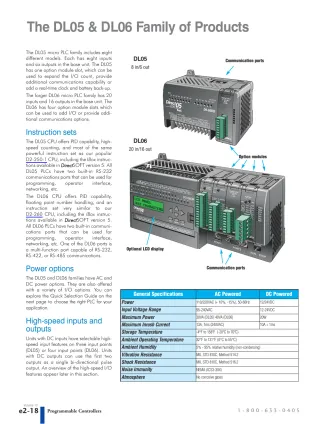
Manual · AutomationDirect
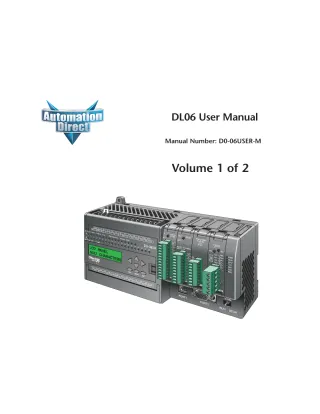
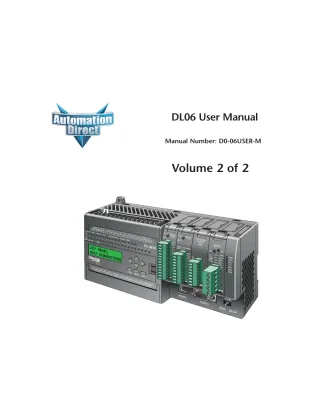
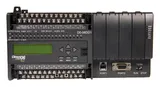
DL06 Micro PLC User Manual, Volume 2 of 2
Manual370 pagesPDF 6.0 MB
Volume 2 of the DL06 Micro PLC user manual: drum and stage programming, PID loops, troubleshooting and the LCD display panel.
Names · 1 model
The models it names
Filed with · 1 model
Also filed with these models on the old site
Summary
What is in it
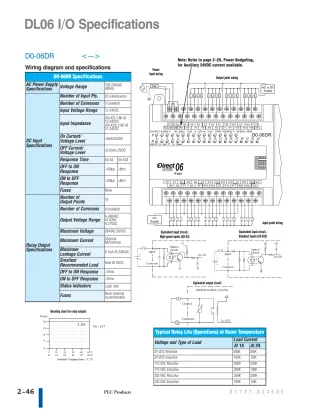
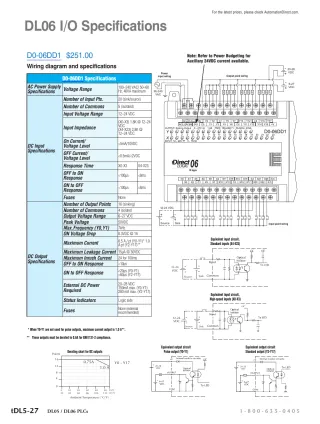
The second volume of AutomationDirect's DL06 Micro PLC User Manual (3rd Edition Rev. A). It covers drum instruction programming, RLLPLUS stage programming, PID loop operation, maintenance and troubleshooting, and the DL06 LCD display panel, followed by appendices on auxiliary functions, instruction execution times, special relays, high-speed input and pulse output features, PLC memory and serial communications. Wiring diagrams in the contents list the D0-06DD1 among the DL06 models.
Its parts
- Chapter 6: Drum Instruction Programming
- Chapter 7: RLLPLUS Stage Programming
- Chapter 8: PID Loop Operation
- Chapter 9: Maintenance and Troubleshooting
- Chapter 10: LCD Display Panel
From the manual
Key facts from this manual
Each line names its page in the PDF.
AutomationDirect DL06 Micro PLC User Manual, Volume 2 of 2 (3rd Edition), for the DL06 Micro PLC family. It covers PID loop operation, maintenance and troubleshooting with indicator checks and error codes, and appendices including the full error code list, high-speed input and pulse output features, and product weights. This summary draws mainly on the maintenance, troubleshooting and error code pages.
- Maintenance
- No regular maintenance required; a routine check about every one or two months is good practice p. 157
- Fatal errors
- The CPU switches to Program Mode, with all outputs off; non-fatal errors cause no mode change p. 157
- CPU LED on
- Fatal CPU error, usually a hardware failure; power cycle to clear, replace the CPU if it returns p. 162
- CPU LED blinking
- Backup battery is low p. 162
- E001
- CPU fatal error: power cycle the CPU; replace the DL06 if the error returns p. 216
- E003
- Software time-out: the scan exceeds the watchdog timer; extend it with AUX 55 p. 216
- E041
- CPU battery low: replace the battery; SP43 turns on p. 216
- E210
- Power fault: a short power drop-out on the main power line p. 216
- E202
- Missing I/O module: run AUX42 to find the module reporting the error p. 216
- E4**
- Program syntax error; run AUX21 to find which E4** error it is p. 217
- E401
- Missing END statement, the most common programming error p. 162, 217
- I/O fuses
- None inside the DL06 p. 163
What this manual walks you through
- Routine maintenance checks of the PLC and cabinet p. 157
- Telling fatal from non-fatal errors p. 157
- Finding program syntax and runtime errors p. 160
- Diagnosing problems from the PWR, RUN and CPU indicators p. 161, 162
- Fixing communication problems with the CPU p. 162
- Troubleshooting I/O points p. 163
- Curing false inputs from leakage current with a parallel resistor p. 163
- Looking up error codes and their fixes p. 216, 217
- Troubleshooting high-speed counter Mode 10 p. 273
Good to know
- Disconnect system power before inspecting the wiring. p. 161
- The output circuits cannot detect shorted or open output points. p. 163
- The I/O status LEDs show the logic side, so an output LED can look normal while the output device is damaged. p. 163
- When cleaning, keep water out of the air vents and avoid strong detergents. p. 157
- A defective field device may cause the same failure in a replacement PLC. p. 163
Questions this manual answers
What does a blinking CPU light mean on a DL06?
The backup battery is low. p. 162
What is DL06 error E003?
A software time-out: the program scan took longer than the watchdog timer allows. AUX 55 extends the watchdog time. p. 216
How do I fix error E401 on a DL06?
E401 means the END statement is missing; enter an END statement at the right place in the program. p. 217
Why won't my DL06 go into Run mode?
Usually the application program has a problem, unless the CPU has a fatal error, in which case the CPU LED is on. p. 162
Does the DL06 have internal fuses?
No, the DL06 has no internal I/O fuses, so check fuses in the machine or panel. p. 163
The whole text · 38 parts
Read the manual here as text
Its text as extracted from the PDF, unedited, in parts; each page opens the PDF at that page.
- Pages 1 to 101-10
- Pages 11 to 1911-19
- Pages 20 to 2920-29
- Pages 30 to 3930-39
- Pages 40 to 4940-49
- Pages 50 to 5950-59
- Pages 60 to 6960-69
- Pages 70 to 7970-79
- Pages 80 to 8980-89
- Pages 90 to 9990-99
- Pages 100 to 109100-109
- Pages 110 to 119110-119
- Pages 120 to 129120-129
- Pages 130 to 139130-139
- Pages 140 to 149140-149
- Pages 150 to 159150-159
- Pages 160 to 169160-169
- Pages 170 to 179170-179
- Pages 180 to 189180-189
- Pages 190 to 199190-199
- Pages 200 to 209200-209
- Pages 210 to 219210-219
- Pages 220 to 229220-229
- Pages 230 to 239230-239
- Pages 240 to 249240-249
- Pages 250 to 259250-259
- Pages 260 to 269260-269
- Pages 270 to 279270-279
- Pages 280 to 289280-289
- Pages 290 to 299290-299
- Pages 300 to 309300-309
- Pages 310 to 319310-319
- Pages 320 to 329320-329
- Pages 330 to 339330-339
- Pages 340 to 349340-349
- Pages 350 to 359350-359
- Pages 360 to 369360-369
- Page 370370
The file