Manual · AutomationDirect
DL06 Micro PLC User Manual, Volume 1 of 2
Manual524 pagesPDF 6.4 MB
User manual, volume 1 of 2, for the DL06 Micro PLC family, including the D0-06DD1: installation, wiring, CPU, networking and RLL instructions.
Covers · 2 models
The models it covers
Summary
What is in it
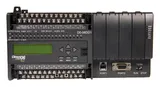
Volume 1 of the AutomationDirect DL06 Micro PLC User Manual (D0-06USER-M, 3rd Edition Rev. A). It covers getting started, safety, mounting, wiring guidelines and I/O wiring diagrams for each DL06 model including the D0-06DD1, CPU specifications and operation, the memory map, system design and power budgeting, configuring the comm ports for MODBUS and DirectNET networks, and the standard RLL instruction set. Drum, stage and PID programming, maintenance and the LCD panel are in Volume 2.
Its parts
- Getting Started
- Installation, Wiring, and Specifications
- CPU Specifications and Operation
- System Design and Configuration
- Standard RLL Instructions
From the manual
Key facts from this manual
Each line names its page in the PDF.
AutomationDirect DL06 Micro PLC User Manual, Volume 1 of 2 (manual D0-06USER-M, 3rd Edition, Rev A, dated 5/07). It covers all nine DL06 versions: D0–06AA, D0–06AR, D0–06DA, D0–06DD1, D0–06DD2, D0–06DR, D0–06DD1–D, D0–06DD2–D and D0–06DR–D. It walks through installation, wiring and specifications, CPU setup, system design and the instruction set.
- Device
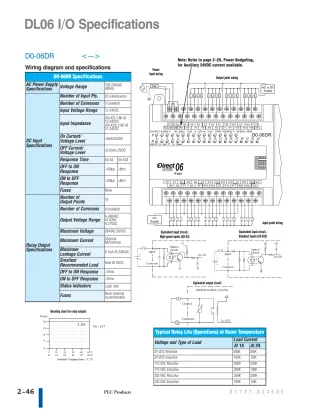
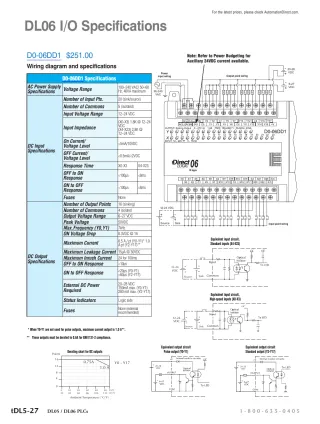
- D0-06DD1: DL06 Micro PLC with twenty sinking/sourcing DC inputs and sixteen sinking DC outputs p. 72
- Inputs
- D0-06DD1: five banks of four, each with an isolated common, sinking or sourcing; X0-X3 are high-speed inputs p. 72
- Outputs
- D0-06DD1: sinking DC outputs that need external power; Y0-Y1 serve as pulse outputs p. 72
- Power
- D0-06DD1: AC external power, 100-240 VAC, 40 VA maximum p. 72, 73
- Memory
- 14.8K words: 7.6K words of ladder memory and 7.6K words of V-memory; program stored in FLASH p. 86
- Communication ports
- Port 1: RS232C, 9600 baud fixed; port 2: RS232C/RS422/RS485, 300 to 38.4K baud p. 88
- Cables
- Port 1 (RJ-12): D2-DSCBL; port 2 (15-pin): D2-DSCBL-1; replacement cable DV–1000CBL p. 88, 89
- Battery
- Optional D2–BAT–1 lithium coin battery, typical life five years p. 92
- Option slots
- Four option card slots; a power budget check is needed for the card mix p. 131
- Auxiliary 24VDC
- Only the AC-powered units, such as the D0-06DD1, supply 24VDC auxiliary power p. 72, 131
- Programming
- DirectSOFT 5, version 5 or later (firmware 2.10 needed for intelligent boxes), or the D2-HPP handheld programmer p. 31, 89
- Instructions
- Over 220 instructions p. 86
- Display
- Optional LCD display p. 31
What this manual walks you through
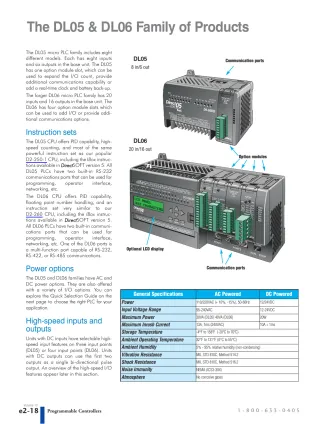
- Choosing a DL06 version by I/O type and power p. 31
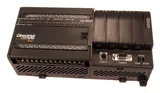
- Front panel connections, indicators and option slots p. 45
- Field wiring of the D0-06DD1 p. 72
- Building cables from the port pinouts p. 88
- Connecting a PC or handheld programmer p. 89
- CPU setup: auxiliary functions, clearing memory, retentive ranges p. 89
- Installing the CPU backup battery p. 92
- Power budgeting for option cards p. 131
Good to know
- There are no output circuit fuses; the manual recommends fusing each channel or each common. p. 39
- Never recharge the battery or dispose of an old one by fire. p. 92
- Fit a fresh battery before a shutdown of more than ten days if it has not been changed recently. p. 92
- 5 VDC signals are below the DC input ON threshold. p. 40
- On port 2, 2-wire RS485 works only for MODBUS and non-sequence. p. 88
Questions this manual answers
What battery does the DL06 use?
An optional D2–BAT–1 lithium coin battery keeps retentive memory without power; typical life is five years. p. 92
What cable connects a PC to a DL06?
D2-DSCBL for port 1 (RJ-12) or D2-DSCBL-1 for the 15-pin port 2; the replacement cable is DV–1000CBL. p. 88, 89
How many option card slots does the DL06 have?
Four; a power budget calculation shows whether a card combination has enough power. p. 131
Does the D0-06DD1 have high-speed inputs?
Yes, X0-X3 are high-speed inputs, and Y0-Y1 are DC pulse outputs. p. 72
The whole text · 53 parts
Read the manual here as text
Its text as extracted from the PDF, unedited, in parts; each page opens the PDF at that page.
- Pages 1 to 101-10
- Pages 11 to 1911-19
- Pages 20 to 2920-29
- Pages 30 to 3930-39
- Pages 40 to 4940-49
- Pages 50 to 5950-59
- Pages 60 to 6960-69
- Pages 70 to 7970-79
- Pages 80 to 8980-89
- Pages 90 to 9990-99
- Pages 100 to 109100-109
- Pages 110 to 119110-119
- Pages 120 to 129120-129
- Pages 130 to 139130-139
- Pages 140 to 149140-149
- Pages 150 to 159150-159
- Pages 160 to 169160-169
- Pages 170 to 179170-179
- Pages 180 to 189180-189
- Pages 190 to 199190-199
- Pages 200 to 209200-209
- Pages 210 to 219210-219
- Pages 220 to 229220-229
- Pages 230 to 239230-239
- Pages 240 to 249240-249
- Pages 250 to 259250-259
- Pages 260 to 269260-269
- Pages 270 to 279270-279
- Pages 280 to 289280-289
- Pages 290 to 299290-299
- Pages 300 to 309300-309
- Pages 310 to 319310-319
- Pages 320 to 329320-329
- Pages 330 to 339330-339
- Pages 340 to 349340-349
- Pages 350 to 359350-359
- Pages 360 to 369360-369
- Pages 370 to 379370-379
- Pages 380 to 389380-389
- Pages 390 to 399390-399
- Pages 400 to 409400-409
- Pages 410 to 419410-419
- Pages 420 to 429420-429
- Pages 430 to 439430-439
- Pages 440 to 449440-449
- Pages 450 to 459450-459
- Pages 460 to 469460-469
- Pages 470 to 479470-479
- Pages 480 to 489480-489
- Pages 490 to 499490-499
- Pages 500 to 509500-509
- Pages 510 to 519510-519
- Pages 520 to 524520-524
The file