Manual · Omron
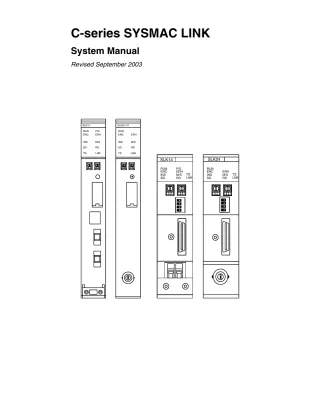
C-series SYSMAC LINK System Manual
Manual174 pagesPDF 983 KB
System manual for Omron C-series SYSMAC LINK Units (C1000H-SLK11/SLK21-V1, C200HW-SLK13/14/23/24): setup, data links and troubleshooting.
Names · 1 model
The models it names
Filed with · 1 model
Also filed with these models on the old site
Summary
What is in it
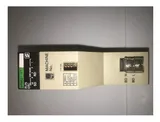
The system manual for Omron C-series SYSMAC LINK Units, which network PCs over coaxial or optical fiber cable. It covers the C1000H-SLK11/SLK21-V1 and C200HW-SLK13/14/23/24 Units: components and switch settings, installation, basic token bus communications and node settings, creating and controlling data links, NETWORK READ/WRITE instructions and CV-mode commands, remote programming and RAS functions, error processing, and inspection and maintenance.
Its parts
- Precautions
- Introduction
- Unit Components and Switch Settings
- Installation
- Basic Communications
- Data Links
- Data Read/Write Services
- Special Services
- Error Processing
- Inspection and Maintenance
From the manual
Key facts from this manual
Some pages are scans or cannot be read; this says only what the readable text supports. Each line names its page in the PDF.
This is Omron's C-series SYSMAC LINK System Manual, revised September 2003. It covers the C1000H-SLK11, C1000H-SLK21-V1 and C200HW-SLK13/14/23/24 SYSMAC LINK Units, which link PCs over coaxial or optical fiber cable. It walks the reader through switch settings, installation, data links, network read and write services and troubleshooting.
- Cable
- C200HW-SLK23/24 and C1000H-SLK21-V1: 5C-2V coaxial cable p. 149
- Network size
- Up to 62 nodes; node numbers 01 to 62, each unique p. 18, 29
- Data rate
- 2 Mbps p. 151
- Data link capacity
- C200HW-SLK14/SLK24: up to 2,966 words in the LR and DM Areas combined p. 17, 151
- Weight
- C200HW-SLK23/SLK24: 0.4 kg max.; C200HW-SLK13/SLK14: 0.5 kg max. p. 151
- C200HX/HG/HE mounting
- Needs a Communications Board with Link Interface, C200HW-COM01/04-EV1 p. 20
- Units per PC
- Up to two SYSMAC LINK Units, each on its own network p. 19
- Message length
- 512 bytes max., not including header p. 151
- Indicators
- RUN, ERC, ERH, INS, M/S, SD, RD, TS, LNK; coaxial units have no P/S indicator p. 27
- Switches
- C200HW-SLK13/14/23/24: node number switches and DIP switch 1 on the front, DIP switch 2 on the back p. 28
- Terminators
- Two required for each network connected with coaxial cable p. 147
- Coaxial connector parts
- BNC Connector BNC-P-5C-CR10-B (crimp-on); Crimping Tool CR-H-1130 p. 149
- Optical fiber cable
- C200HW-SLK13/14 and C1000H-SLK11: hard plastic-clad optical fiber cable, e.g. S3200-HCCB101 (black, 10 m) p. 149
- Auto data links
- Generated automatically between 2, 4, 8 or 16 nodes, or set up manually p. 17
What this manual walks you through
- Checking which PCs and other Link Units a SYSMAC LINK Unit works with p. 20, 21
- Planning single-level and multilevel networks p. 18, 19
- Reading the status indicators p. 27
- Setting node numbers p. 29
- Setting DIP switches for test, data link, operating level and polling unit p. 30
- Troubleshooting from the indicators p. 132
- Ordering accessories, connectors, cables and related items p. 147, 148, 149
Good to know
- Turn off power to the PC before setting the switches. p. 29
- The units cannot be used with other CPU Units or with a C2000H Duplex System. p. 20
- Never use the S3200-COCF2011 Optical Connector with C200HW-SLK13/14 units; it might become stuck. p. 148
- DIP switch 1 pin 4 is for maintenance only and should always be OFF. p. 30
- Set a unique operating level for each system when combining link units on one PC. p. 21
Questions this manual answers
What cable does the C200HW-SLK24 use?
The manual calls for a high quality 5C-2V coaxial cable with the C200HW-SLK23/24. p. 149
How many nodes can a SYSMAC LINK network have?
Up to 62 nodes; each unit gets a unique node number from 01 to 62. p. 18, 29
What does a flashing LNK indicator mean?
A data link error has occurred, for example a data link table error on the local node or mismatched tables. p. 27, 132
What is needed to mount a SYSMAC LINK Unit on a C200HX PC?
A Communications Board equipped with a Link Interface (C200HW-COM01/04-EV1). p. 20
How many data link words does the C200HW-SLK24 support?
Up to 2,966 words with the C200HW-SLK14/SLK24. p. 17
Contents
Chapters and sections
Each line opens the PDF at its page.
The whole text · 19 parts
Read the manual here as text
Its text as extracted from the PDF, unedited, in parts; each page opens the PDF at that page.
- Front Cover1-3
- Pages 4 to 134-13
- Pages 14 to 2314-23
- Pages 24 to 3324-33
- Pages 34 to 4334-43
- Pages 44 to 5344-53
- Pages 54 to 6354-63
- Pages 64 to 7364-73
- Pages 74 to 8374-83
- Pages 84 to 9384-93
- Pages 94 to 10394-103
- Pages 104 to 113104-113
- Pages 114 to 123114-123
- Pages 124 to 133124-133
- Pages 134 to 143134-143
- Pages 144 to 153144-153
- Pages 154 to 163154-163
- Pages 164 to 173164-173
- Page 174174
The file